
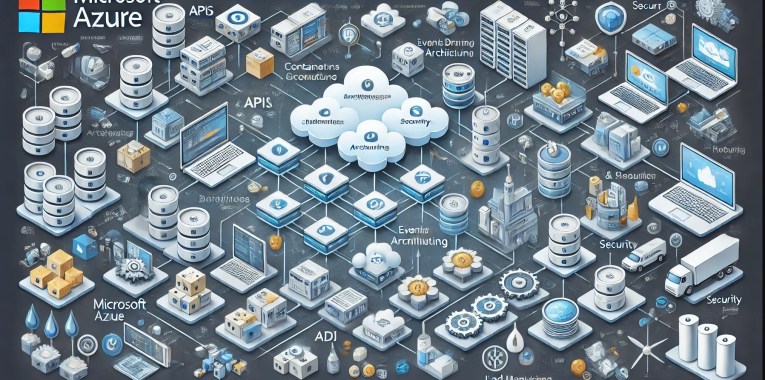
In cloud computing, Microsoft Azure offers a robust framework for building modern cloud-based applications. Designed to enhance scalability, flexibility, and resilience, Azure’s comprehensive suite of services empowers developers to create efficient and robust solutions. Let’s dive into the core components of this architecture in detail.
1. Microservices Architecture
Overview:
Microservices architecture breaks down applications into small, independent services, each performing a specific function. These services communicate over well-defined APIs, enabling a modular approach to development.
Advantages:
- Modularity: Easier to develop, test, and deploy individual components.
- Scalability: Services can be scaled independently based on demand.
- Deployability: Faster deployment cycles since services can be updated independently without affecting the whole system.
- Fault Isolation: Failures in one service do not impact the entire system.
Key Azure Services:
- Azure Kubernetes Service (AKS): Provides a managed Kubernetes environment for deploying, scaling, and managing containerised applications.
- Azure Service Fabric: A distributed systems platform for packaging, deploying, and managing scalable and reliable microservices.
2. Containers and Orchestration
Containers:
Containers encapsulate an application and its dependencies, ensuring consistency across multiple environments. They provide a lightweight, portable, and efficient alternative to virtual machines.
Orchestration:
Orchestration tools manage the deployment, scaling, and operation of containers, ensuring that containerised applications run smoothly across different environments.
Advantages:
- Consistency: Ensures that applications run the same way in development, testing, and production.
- Efficiency: Containers use fewer resources compared to virtual machines.
- Portability: Easily move applications between different environments or cloud providers.
Key Azure Services:
- Azure Kubernetes Service (AKS): Manages Kubernetes clusters, automating tasks such as scaling, updates, and provisioning.
- Azure Container Instances: Provides a quick and easy way to run containers without managing the underlying infrastructure.
3. Serverless Computing
Overview:
Serverless computing allows developers to run code in response to events without managing servers. The cloud provider automatically provisions, scales, and manages the infrastructure required to run the code.
Advantages:
- Simplified Deployment: Focus on code rather than infrastructure management.
- Cost Efficiency: Pay only for the compute time used when the code is running.
- Automatic Scaling: Automatically scales based on the load and usage patterns.
Key Azure Services:
- Azure Functions: Enables you to run small pieces of code (functions) without provisioning or managing servers.
- Azure Logic Apps: Facilitates the automation of workflows and integration with various services and applications.
4. APIs and API Management
APIs:
APIs (Application Programming Interfaces) enable communication between different services and components, acting as a bridge that allows them to interact.
API Management:
API Management involves securing, monitoring, and managing API traffic. It provides features like rate limiting, analytics, and a single entry point for accessing APIs.
Advantages:
- Security: Protects APIs from misuse and abuse.
- Management: Simplifies the management and monitoring of API usage.
- Scalability: Supports scaling by managing API traffic effectively.
Key Azure Services:
- Azure API Management: A comprehensive solution for managing APIs, providing security, analytics, and monitoring capabilities.
5. Event-Driven Architecture
Overview:
Event-driven architecture uses events to trigger actions and facilitate communication between services. This approach decouples services, allowing them to operate independently and respond to real-time changes.
Advantages:
- Decoupling: Services can operate independently, reducing dependencies.
- Responsiveness: Real-time processing of events improves the responsiveness of applications.
- Scalability: Easily scale services based on event load.
Key Azure Services:
- Azure Event Grid: Simplifies the creation and management of event-based architectures by routing events from various sources to event handlers.
- Azure Service Bus: A reliable message broker that enables asynchronous communication between services.
- Azure Event Hubs: A big data streaming platform for processing and analysing large volumes of events.
6. Databases and Storage
Relational Databases:
Relational databases, like Azure SQL Database, are ideal for structured data and support ACID (Atomicity, Consistency, Isolation, Durability) properties.
NoSQL Databases:
NoSQL databases, such as Azure Cosmos DB, handle unstructured or semi-structured data, offering flexibility, scalability, and performance.
Object Storage:
Object storage solutions like Azure Blob Storage are used for storing large amounts of unstructured data, such as media files and backups.
Advantages:
- Flexibility: Choose the right database based on the data type and application requirements.
- Scalability: Scale databases and storage solutions to handle varying loads.
- Performance: Optimise performance based on the workload characteristics.
Key Azure Services:
- Azure SQL Database: A fully managed relational database service with built-in intelligence.
- Azure Cosmos DB: A globally distributed, multi-model database service for any scale.
- Azure Blob Storage: A scalable object storage service for unstructured data.
7. Load Balancing and Traffic Management
Overview:
Load balancing distributes incoming traffic across multiple servers or services to ensure reliability and performance. Traffic management involves routing traffic based on various factors like geographic location or server health.
Advantages:
- Availability: Ensures that services remain available even if some instances fail.
- Performance: Distributes load evenly to prevent any single server from becoming a bottleneck.
- Scalability: Easily add or remove instances based on traffic demands.
Key Azure Services:
- Azure Load Balancer: Distributes network traffic across multiple servers to ensure high availability and reliability.
- Azure Application Gateway: A web traffic load balancer that provides advanced routing capabilities, including SSL termination and session affinity.
8. Monitoring and Logging
Monitoring:
Monitoring tracks the performance and health of applications and infrastructure, providing insights into their operational state.
Logging:
Logging involves collecting and analysing log data for troubleshooting, performance optimisation, and security auditing.
Advantages:
- Visibility: Gain insights into application performance and infrastructure health.
- Troubleshooting: Quickly identify and resolve issues based on log data.
- Optimisation: Use monitoring data to optimise performance and resource usage.
Key Azure Services:
- Azure Monitor: Provides comprehensive monitoring of applications and infrastructure, including metrics, logs, and alerts.
- Azure Log Analytics: Collects and analyses log data from various sources, enabling advanced queries and insights.
9. Security
IAM (Identity and Access Management):
IAM manages user identities and access permissions to resources, ensuring that only authorised users can access sensitive data and applications.
Encryption:
Encryption protects data in transit and at rest, ensuring that it cannot be accessed or tampered with by unauthorised parties.
WAF (Web Application Firewall):
A WAF protects web applications from common threats and vulnerabilities, such as SQL injection and cross-site scripting (XSS).
Advantages:
- Access Control: Manage user permissions and access to resources effectively.
- Data Protection: Secure sensitive data with encryption and other security measures.
- Threat Mitigation: Protect applications from common web exploits.
Key Azure Services:
- Azure Active Directory: A comprehensive identity and access management service.
- Azure Key Vault: Securely stores and manages sensitive information, such as encryption keys and secrets.
- Azure Security Centre: Provides unified security management and advanced threat protection.
- Azure Web Application Firewall: Protects web applications from common threats and vulnerabilities.
10. CI/CD Pipelines
Overview:
CI/CD (Continuous Integration/Continuous Deployment) pipelines automate the processes of building, testing, and deploying applications, ensuring that new features and updates are delivered quickly and reliably.
Advantages:
- Efficiency: Automate repetitive tasks, reducing manual effort and errors.
- Speed: Accelerate the deployment of new features and updates.
- Reliability: Ensure that code changes are thoroughly tested before deployment.
Key Azure Services:
- Azure DevOps: Provides a suite of tools for managing the entire application lifecycle, including CI/CD pipelines.
- GitHub Actions: Automates workflows directly within GitHub, including CI/CD pipelines.
11. Configuration Management
Overview:
Configuration management involves managing the configuration and state of applications across different environments, ensuring consistency and automating infrastructure management tasks.
Advantages:
- Consistency: Ensure that applications and infrastructure are configured consistently across environments.
- Automation: Automate the deployment and management of infrastructure.
- Version Control: Track and manage changes to configurations over time.
Key Azure Services:
- Azure Resource Manager: Provides a consistent management layer for deploying and managing Azure resources.
- Azure Automation: Automates repetitive tasks and orchestrates complex workflows.
- Terraform on Azure: An open-source tool for building, changing, and versioning infrastructure safely and efficiently.
12. Edge Computing and CDN
Edge Computing:
Edge computing processes data closer to the source (e.g., IoT devices) to reduce latency and improve responsiveness.
CDN (Content Delivery Network):
A CDN distributes content globally, reducing latency and improving load times for users by caching content at strategically located edge nodes.
Advantages:
- Latency Reduction: Process data closer to the source to minimise delays.
- Performance Improvement: Deliver content faster by caching it closer to users.
- Scalability: Handle large volumes of traffic efficiently.
Key Azure Services:
- Azure IoT Edge: Extends cloud intelligence to edge devices, enabling data processing and analysis closer to the data source.
- Azure Content Delivery Network (CDN): Delivers high-bandwidth content to users globally by caching content at edge locations.
Example Architecture on Azure
Frontend:
- Hosting: Deploy the frontend on Azure CDN for fast, global delivery (e.g., React app).
- API Communication: Communicate with backend services via APIs.
Backend:
- Microservices: Deploy microservices in containers managed by Azure Kubernetes Service (AKS).
- Serverless Functions: Use Azure Functions for specific tasks that require quick execution.
Data Layer:
- Databases: Combine relational databases (e.g., Azure SQL Database) and NoSQL databases (e.g., Azure Cosmos DB) for different data needs.
- Storage: Use Azure Blob Storage for storing media files and large datasets.
Communication:
- Event-Driven: Implement event-driven architecture with Azure Event Grid for inter-service communication.
- API Management: Manage and secure API requests using Azure API Management.
Security:
- Access Control: Use Azure Active Directory for managing user identities and access permissions.
- Threat Protection: Protect applications with Azure Web Application Firewall.
DevOps:
- CI/CD: Set up CI/CD pipelines with Azure DevOps for automated testing and deployment.
- Monitoring and Logging: Monitor applications with Azure Monitor and analyse logs with Azure Log Analytics.
Conclusion
Leveraging Microsoft Azure for modern cloud-based application architecture provides a robust and scalable foundation for today’s dynamic business environments. By integrating these key components, businesses can achieve high availability, resilience, and the flexibility to adapt rapidly to changing demands while maintaining robust security and operational efficiency.

 renierbotha ltd