Building a Future-Proof Data Estate on Azure: Key Non-Functional Requirements for Success

As organisations increasingly adopt data-driven strategies, managing and optimising large-scale data estates becomes a critical challenge. In modern data architectures, Azure’s suite of services offers powerful tools to manage complex data workflows, enabling businesses to unlock the value of their data efficiently and securely. One popular framework for organising and refining data is the Medallion Architecture, which provides a structured approach to managing data layers (bronze, silver, and gold) to ensure quality and accessibility.

When deploying an Azure data estate that utilises services such as Azure Data Lake Storage (ADLS) Gen2, Azure Synapse, Azure Data Factory, and Power BI, non-functional requirements (NFRs) play a vital role in determining the success of the project. While functional requirements describe what the system should do, NFRs focus on how the system should perform and behave under various conditions. They address key aspects such as performance, scalability, security, and availability, ensuring the solution is robust, reliable, and meets both technical and business needs.

In this post, we’ll explore the essential non-functional requirements for a data estate built on Azure, employing a Medallion Architecture. We’ll cover crucial areas such as data processing performance, security, availability, and maintainability—offering comprehensive insights to help you design and manage a scalable, high-performing Azure data estate that meets the needs of your business while keeping costs under control.

Let’s dive into the key non-functional aspects you should consider when planning and deploying your Azure data estate.


1. Performance

  • Data Processing Latency:
    • Define maximum acceptable latency for data movement through each stage of the Medallion Architecture (Bronze, Silver, Gold). For example, raw data ingested into ADLS-Gen2 (Bronze) should be processed into the Silver layer within 15 minutes and made available in the Gold layer within 30 minutes for analytics consumption.
    • Transformation steps in Azure Synapse should be optimised to ensure data is processed promptly for near real-time reporting in Power BI.
    • Specific performance KPIs could include batch processing completion times, such as 95% of all transformation jobs completing within the agreed SLA (e.g., 30 minutes).
  • Query Performance:
    • Define acceptable response times for typical and complex analytical queries executed against Azure Synapse. For instance, simple aggregation queries should return results within 2 seconds, while complex joins or analytical queries should return within 10 seconds.
    • Power BI visualisations pulling from Azure Synapse should render within 5 seconds for commonly used reports.
  • ETL Job Performance:
    • Azure Data Factory pipelines must complete ETL (Extract, Transform, Load) operations within a defined window. For example, daily data refresh pipelines should execute and complete within 2 hours, covering the full process of raw data ingestion, transformation, and loading into the Gold layer.
    • Batch processing jobs should run in parallel to enhance throughput without degrading the performance of other ongoing operations.
  • Concurrency and Throughput:
    • The solution must support a specified number of concurrent users and processes. For example, Azure Synapse should handle 100 concurrent query users without performance degradation.
    • Throughput requirements should define how much data can be ingested per unit of time (e.g., supporting the ingestion of 10 GB of data per hour into ADLS-Gen2).

2. Scalability

  • Data Volume Handling:
    • The system must scale horizontally and vertically to accommodate growing data volumes. For example, ADLS-Gen2 must support scaling from hundreds of gigabytes to petabytes of data as business needs evolve, without requiring significant rearchitecture of the solution.
    • Azure Synapse workloads should scale to handle increasing query loads from Power BI as more users access the data warehouse. Autoscaling should be triggered based on thresholds such as CPU usage, memory, and query execution times.
  • Compute and Storage Scalability:
    • Azure Synapse pools should scale elastically based on workload, with minimum and maximum numbers of Data Warehouse Units (DWUs) or vCores pre-configured for optimal cost and performance.
    • ADLS-Gen2 storage should scale to handle both structured and unstructured data with dynamic partitioning to ensure faster access times as data volumes grow.
  • ETL Scaling:
    • Azure Data Factory pipelines must support scaling by adding additional resources or parallelising processes as data volumes and the number of jobs increase. This ensures that data transformation jobs continue to meet their defined time windows, even as the workload increases.

3. Availability

  • Service Uptime:
    • A Service Level Agreement (SLA) should be defined for each Azure component, with ADLS-Gen2, Azure Synapse, and Power BI required to provide at least 99.9% uptime. This ensures that critical data services remain accessible to users and systems year-round.
    • Azure Data Factory pipelines should be resilient, capable of rerunning in case of transient failures without requiring manual intervention, ensuring data pipelines remain operational at all times.
  • Disaster Recovery (DR):
    • Define Recovery Time Objectives (RTO) and Recovery Point Objectives (RPO) for critical Azure services. For example, ADLS-Gen2 should have an RPO of 15 minutes (data can be recovered up to the last 15 minutes before an outage), and an RTO of 2 hours (the system should be operational within 2 hours after an outage).
    • Azure Synapse and ADLS-Gen2 must replicate data across regions to support geo-redundancy, ensuring data availability in the event of regional outages.
  • Data Pipeline Continuity:
    • Azure Data Factory must support pipeline reruns, retries, and checkpoints to avoid data loss in the event of failure. Automated alerts should notify the operations team of any pipeline failures requiring human intervention.

4. Security

  • Data Encryption:
    • All data at rest in ADLS-Gen2, Azure Synapse, and in transit between services must be encrypted using industry standards (e.g., AES-256 for data at rest).
    • Transport Layer Security (TLS) should be enforced for data communication between services to ensure data in transit is protected from unauthorised access.
  • Role-Based Access Control (RBAC):
    • Access to all Azure resources (including ADLS-Gen2, Azure Synapse, and Azure Data Factory) should be restricted using RBAC. Specific roles (e.g., Data Engineers, Data Analysts) should be defined with corresponding permissions, ensuring that only authorised users can access or modify resources.
    • Privileged access should be minimised, with multi-factor authentication (MFA) required for high-privilege actions.
  • Data Masking:
    • Implement dynamic data masking in Azure Synapse or Power BI to ensure sensitive data (e.g., Personally Identifiable Information – PII) is masked or obfuscated for users without appropriate access levels, ensuring compliance with privacy regulations such as GDPR.
  • Network Security:
    • Ensure that all services are integrated using private endpoints and virtual networks (VNET) to restrict public internet exposure.
    • Azure Firewall or Network Security Groups (NSGs) should be used to protect data traffic between components within the architecture.

5. Maintainability

  • Modular Pipelines:
    • Azure Data Factory pipelines should be built in a modular fashion, allowing individual pipeline components to be reused across different workflows. This reduces maintenance overhead and allows for quick updates.
    • Pipelines should be version-controlled using Azure DevOps or Git, with CI/CD pipelines established for deployment automation.
  • Documentation and Best Practices:
    • All pipelines, datasets, and transformations should be documented to ensure new team members can easily understand and maintain workflows.
    • Adherence to best practices, including naming conventions, tagging, and modular design, should be mandatory.
  • Monitoring and Logging:
    • Azure Monitor and Azure Log Analytics must be used to log and monitor the health of pipelines, resource usage, and performance metrics across the architecture.
    • Proactive alerts should be configured to notify of pipeline failures, data ingestion issues, or performance degradation.

6. Compliance

  • Data Governance:
    • Azure Purview (or a similar governance tool) should be used to catalogue all datasets in ADLS-Gen2 and Azure Synapse. This ensures that the organisation has visibility into data lineage, ownership, and classification across the data estate.
    • Data lifecycle management policies should be established to automatically delete or archive data after a certain period (e.g., archiving data older than 5 years).
  • Data Retention and Archiving:
    • Define clear data retention policies for data stored in ADLS-Gen2. For example, operational data in the Bronze layer should be archived after 6 months, while Gold data might be retained for longer periods.
    • Archiving should comply with regulatory requirements, and archived data must still be recoverable within a specified period (e.g., within 24 hours).
  • Auditability:
    • All access and actions performed on data in ADLS-Gen2, Azure Synapse, and Azure Data Factory should be logged for audit purposes. Audit logs must be retained for a defined period (e.g., 7 years) and made available for compliance reporting when required.

7. Reliability

  • Data Integrity:
    • Data validation and reconciliation processes should be implemented at each stage (Bronze, Silver, Gold) to ensure that data integrity is maintained throughout the pipeline. Any inconsistencies should trigger alerts and automated corrective actions.
    • Schema validation must be enforced to ensure that changes in source systems do not corrupt data as it flows through the layers.
  • Backup and Restore:
    • Periodic backups of critical data in ADLS-Gen2 and Azure Synapse should be scheduled to ensure data recoverability in case of corruption or accidental deletion.
    • Test restore operations should be performed quarterly to ensure backups are valid and can be restored within the RTO.

8. Cost Optimisation

  • Resource Usage Efficiency:
    • Azure services must be configured to use cost-effective resources, with cost management policies in place to avoid unnecessary expenses. For example, Azure Synapse compute resources should be paused during off-peak hours to minimise costs.
    • Data lifecycle policies in ADLS-Gen2 should archive older, infrequently accessed data to lower-cost storage tiers (e.g., cool or archive).
  • Cost Monitoring:
    • Set up cost alerts using Azure Cost Management to monitor usage and avoid unexpected overspends. Regular cost reviews should be conducted to identify areas of potential savings.

9. Interoperability

  • External System Integration:
    • The system must support integration with external systems such as third-party APIs or on-premise databases, with Azure Data Factory handling connectivity and orchestration.
    • Data exchange formats such as JSON, Parquet, or CSV should be supported to ensure compatibility across various platforms and services.

10. Licensing

When building a data estate on Azure using services such as Azure Data Lake Storage (ADLS) Gen2, Azure Synapse, Azure Data Factory, and Power BI, it’s essential to understand the licensing models and associated costs for each service. Azure’s licensing follows a pay-as-you-go model, offering flexibility, but it requires careful management to avoid unexpected costs. Below are some key licensing considerations for each component:

  • Azure Data Lake Storage (ADLS) Gen2:
    • Storage Costs: ADLS Gen2 charges are based on the volume of data stored and the access tier selected (hot, cool, or archive). The hot tier, offering low-latency access, is more expensive, while the cool and archive tiers are more cost-effective but designed for infrequently accessed data.
    • Data Transactions: Additional charges apply for data read and write transactions, particularly if the data is accessed frequently.
  • Azure Synapse:
    • Provisioned vs On-Demand Pricing: Azure Synapse offers two pricing models. The provisioned model charges based on the compute resources allocated (Data Warehouse Units or DWUs), which are billed regardless of actual usage. The on-demand model charges per query, offering flexibility for ad-hoc analytics workloads.
    • Storage Costs: Data stored in Azure Synapse also incurs storage costs, based on the size of the datasets within the service.
  • Azure Data Factory (ADF):
    • Pipeline Runs: Azure Data Factory charges are based on the number of pipeline activities executed. Each data movement or transformation activity incurs costs based on the volume of data processed and the frequency of pipeline executions.
    • Integration Runtime: Depending on the region or if on-premises data is involved, using the integration runtime can incur additional costs, particularly for large data transfers across regions or in hybrid environments.
  • Power BI:
    • Power BI Licensing: Power BI offers Free, Pro, and Premium licensing tiers. The Free tier is suitable for individual users with limited sharing capabilities, while Power BI Pro offers collaboration features at a per-user cost. Power BI Premium provides enhanced performance, dedicated compute resources, and additional enterprise-grade features, which are priced based on capacity rather than per user.
    • Data Refreshes: The number of dataset refreshes per day is limited in the Power BI Pro tier, while the Premium tier allows for more frequent and larger dataset refreshes.

Licensing plays a crucial role in the cost and compliance management of a Dev, Test, and Production environment involving services like Azure Data Lake Storage Gen2 (ADLS Gen2), Azure Data Factory (ADF), Synapse Analytics, and Power BI. Each of these services has specific licensing considerations, especially as usage scales across environments.

10.1 Development Environment

  • Azure Data Lake Storage Gen2 (ADLS Gen2): The development environment typically incurs minimal licensing costs as storage is charged based on the amount of data stored, operations performed, and redundancy settings. Usage should be low, and developers can manage costs by limiting data ingestion and using lower redundancy options.
  • Azure Data Factory (ADF): ADF operates on a consumption-based model where costs are based on the number of pipeline runs and data movement activities. For development, licensing costs are minimal, but care should be taken to avoid unnecessary pipeline executions and data transfers.
  • Synapse Analytics: For development, developers may opt for the pay-as-you-go pricing model with minimal resources. Synapse offers a “Development” SKU for non-production environments, which can reduce costs. Dedicated SQL pools should be minimized in Dev to reduce licensing costs, and serverless options should be considered.
  • Power BI: Power BI Pro licenses are usually required for developers to create and share reports. A lower number of licenses can be allocated for development purposes, but if collaboration and sharing are involved, a Pro license will be necessary. If embedding Power BI reports, Power BI Embedded SKU licensing should also be considered.

10.2 Test Environment

  • Azure Data Lake Storage Gen2 (ADLS Gen2): Licensing in the test environment should mirror production but at a smaller scale. Costs will be related to storage and I/O operations, similar to the production environment, but with the potential for cost savings through lower data volumes or reduced redundancy settings.
  • Azure Data Factory (ADF): Testing activities typically generate higher consumption than development due to load testing, integration testing, and data movement simulations. Usage-based licensing for data pipelines and data flows will apply. It is important to monitor the cost of ADF runs and ensure testing does not consume excessive resources unnecessarily.
  • Synapse Analytics: For the test environment, the pricing model should mirror production usage with the possibility of scaling down in terms of computing power. Testing should focus on Synapse’s workload management to ensure performance in production while minimizing licensing costs. Synapse’s “Development” or lower-tier options could still be leveraged to reduce costs during non-critical testing periods.
  • Power BI: Power BI Pro licenses are typically required for testing reports and dashboards. Depending on the scope of testing, you may need a few additional licenses, but overall testing should not significantly increase licensing costs. If Power BI Premium or Embedded is being used in production, it may be necessary to have similar licensing in the test environment for accurate performance and load testing.

10.3 Production Environment

  • Azure Data Lake Storage Gen2 (ADLS Gen2): Licensing is based on the volume of data stored, redundancy options (e.g., LRS, GRS), and operations performed (e.g., read/write transactions). In production, it is critical to consider data lifecycle management policies, such as archiving and deletion, to optimize costs while staying within licensing agreements.
  • Azure Data Factory (ADF): Production workloads in ADF are licensed based on consumption, specifically pipeline activities, data integration operations, and Data Flow execution. It’s important to optimize pipeline design to reduce unnecessary executions or long-running activities. ADF also offers Managed VNET pricing for enhanced security, which might affect licensing costs.
  • Synapse Analytics: For Synapse Analytics, production environments can leverage either the pay-as-you-go pricing model for serverless SQL pools or reserved capacity (for dedicated SQL pools) to lock in lower pricing over time. The licensing cost in production can be significant if heavy data analytics workloads are running, so careful monitoring and workload optimization are necessary.
  • Power BI: For production reporting, Power BI offers two main licensing options:
    • Power BI Pro: This license is typically used for individual users, and each user who shares or collaborates on reports will need a Pro license.
    • Power BI Premium: Premium provides dedicated cloud compute and storage for larger enterprise users, offering scalability and performance enhancements. Licensing is either capacity-based (Premium Per Capacity) or user-based (Premium Per User). Power BI Premium is especially useful for large-scale, enterprise-wide reporting solutions.
    • Depending on the nature of production use (whether reports are shared publicly or embedded), Power BI Embedded licenses may also be required for embedded analytics in custom applications. This is typically licensed based on compute capacity (e.g., A1-A6 SKUs).

License Optimization Across Environments

  • Cost Control with Reserved Instances: For production, consider reserved capacity for Synapse Analytics and other Azure services to lock in lower pricing over 1- or 3-year periods. This is particularly beneficial when workloads are predictable.
  • Developer and Test Licensing Discounts: Azure often offers discounted pricing for Dev/Test environments. Azure Dev/Test pricing is available for active Visual Studio subscribers, providing significant savings for development and testing workloads. This can reduce the cost of running services like ADF, Synapse, and ADLS Gen2 in non-production environments.
  • Power BI Embedded vs Premium: If Power BI is being embedded in a web or mobile application, you can choose between Power BI Embedded (compute-based pricing) or Power BI Premium (user-based pricing) depending on whether you need to share reports externally or internally. Evaluate which model works best for cost optimization based on your report sharing patterns.

11. User Experience (Power BI)

  • Dashboard Responsiveness:
    • Power BI dashboards querying data from Azure Synapse should render visualisations within a specified time (e.g., less than 5 seconds for standard reports) to ensure a seamless user experience.
    • Power BI reports should be optimised to ensure quick refreshes and minimise unnecessary queries to the underlying data warehouse.
  • Data Refresh Frequenc
    • Define how frequently Power BI reports must refresh based on the needs of the business. For example, data should be updated every 15 minutes for dashboards that track near real-time performance metrics.

12. Environment Management: Development, Testing (UAT), and Production

Managing different environments is crucial to ensure that changes to your Azure data estate are deployed systematically, reducing risks, ensuring quality, and maintaining operational continuity. It is essential to have distinct environments for Development, Testing/User Acceptance Testing (UAT), and Production. Each environment serves a specific purpose and helps ensure the overall success of the solution. Here’s how you should structure and manage these environments:

12.1 Development Environment

  • Purpose:
    The Development environment is where new features, enhancements, and fixes are first developed. This environment allows developers and data engineers to build and test individual components such as data pipelines, models, and transformations without impacting live data or users.
  • Characteristics:
    • Resources should be provisioned based on the specific requirements of the development team, but they can be scaled down to reduce costs.
    • Data used in development should be synthetic or anonymised to prevent any exposure of sensitive information.
    • CI/CD Pipelines: Set up Continuous Integration (CI) pipelines to automate the testing and validation of new code before it is promoted to the next environment.
  • Security and Access:
    • Developers should have the necessary permissions to modify resources, but strong access controls should still be enforced to avoid accidental changes or misuse.
    • Multi-factor authentication (MFA) should be enabled for access.

12.2 Testing and User Acceptance Testing (UAT) Environment

  • Purpose:
    The Testing/UAT environment is used to validate new features and bug fixes in a production-like setting. This environment mimics the Production environment to catch any issues before deployment to live users. Testing here ensures that the solution meets business and technical requirements.
  • Characteristics:
    • Data: The data in this environment should closely resemble the production data, but should ideally be anonymised or masked to protect sensitive information.
    • Performance Testing: Conduct performance testing in this environment to ensure that the system can handle the expected load in production, including data ingestion rates, query performance, and concurrency.
    • Functional Testing: Test new ETL jobs, data transformations, and Power BI reports to ensure they behave as expected.
    • UAT: Business users should be involved in testing to ensure that new features meet their requirements and that the system behaves as expected from an end-user perspective.
  • Security and Access:
    • Developers, testers, and business users involved in UAT should have appropriate levels of access, but sensitive data should still be protected through masking or anonymisation techniques.
    • User roles in UAT should mirror production roles to ensure testing reflects real-world access patterns.
  • Automated Testing:
    • Automate tests for pipelines and queries where possible to validate data quality, performance, and system stability before moving changes to Production.

12.3 Production Environment

  • Purpose:
    The Production environment is the live environment that handles real data and user interactions. It is mission-critical, and ensuring high availability, security, and performance in this environment is paramount.
  • Characteristics:
    • Service Uptime: The production environment must meet strict availability SLAs, typically 99.9% uptime for core services such as ADLS-Gen2, Azure Synapse, Azure Data Factory, and Power BI.
    • High Availability and Disaster Recovery: Production environments must have disaster recovery mechanisms, including data replication across regions and failover capabilities, to ensure business continuity in the event of an outage.
    • Monitoring and Alerts: Set up comprehensive monitoring using Azure Monitor and other tools to track performance metrics, system health, and pipeline executions. Alerts should be configured for failures, performance degradation, and cost anomalies.
  • Change Control:
    • Any changes to the production environment must go through formal Change Management processes. This includes code reviews, approvals, and staged deployments (from Development > Testing > Production) to minimise risk.
    • Use Azure DevOps or another CI/CD tool to automate deployments to production. Rollbacks should be available to revert to a previous stable state if issues arise.
  • Security and Access:
    • Strict access controls are essential in production. Only authorised personnel should have access to the environment, and all changes should be tracked and logged.
    • Data Encryption: Ensure that data in production is encrypted at rest and in transit using industry-standard encryption protocols.

12.4 Data Promotion Across Environments

  • Data Movement:
    • When promoting data pipelines, models, or new code across environments, automated testing and validation must ensure that all changes function correctly in each environment before reaching Production.
    • Data should only be moved from Development to UAT and then to Production through secure pipelines. Use Azure Data Factory or Azure DevOps for data promotion and automation.
  • Versioning:
    • Maintain version control across all environments. Any changes to pipelines, models, and queries should be tracked and revertible, ensuring stability and security as new features are tested and deployed.

13. Workspaces and Sandboxes in the Development Environment

In addition to the non-functional requirements, effective workspaces and sandboxes are essential for development in Azure-based environments. These structures provide isolated and flexible environments where developers can build, test, and experiment without impacting production workloads.

Workspaces and Sandboxes Overview

  • Workspaces: A workspace is a logical container where developers can collaborate and organise their resources, such as data, pipelines, and code. Azure Synapse Analytics, Power BI, and Azure Machine Learning use workspaces to manage resources and workflows efficiently.
  • Sandboxes: Sandboxes are isolated environments that allow developers to experiment and test their configurations, code, or infrastructure without interfering with other developers or production environments. Sandboxes are typically temporary and can be spun up or destroyed as needed, often implemented using infrastructure-as-code (IaC) tools.

Non-Functional Requirements for Workspaces and Sandboxes in the Dev Environment

13.1 Isolation and Security

  • Workspace Isolation: Developers should be able to create independent workspaces in Synapse Analytics and Power BI to develop pipelines, datasets, and reports without impacting production data or resources. Each workspace should have its own permissions and access controls.
  • Sandbox Isolation: Each developer or development team should have access to isolated sandboxes within the Dev environment. This prevents interference from others working on different projects and ensures that errors or experimental changes do not affect shared resources.
  • Role-Based Access Control (RBAC): Enforce RBAC in both workspaces and sandboxes. Developers should have sufficient privileges to build and test solutions but should not have access to sensitive production data or environments.

13.2 Scalability and Flexibility

  • Elastic Sandboxes: Sandboxes should allow developers to scale compute resources up or down based on the workload (e.g., Synapse SQL pools, ADF compute clusters). This allows efficient testing of both lightweight and complex data scenarios.
  • Customisable Workspaces: Developers should be able to customise workspace settings, such as data connections and compute options. In Power BI, this means configuring datasets, models, and reports, while in Synapse, it involves managing linked services, pipelines, and other resources.

13.3 Version Control and Collaboration

  • Source Control Integration: Workspaces and sandboxes should integrate with source control systems like GitHub or Azure Repos, enabling developers to collaborate on code and ensure versioning and tracking of all changes (e.g., Synapse SQL scripts, ADF pipelines).
  • Collaboration Features: Power BI workspaces, for example, should allow teams to collaborate on reports and dashboards. Shared development workspaces should enable team members to co-develop, review, and test Power BI reports while maintaining control over shared resources.

13.4 Automation and Infrastructure-as-Code (IaC)

  • Automated Provisioning: Sandboxes and workspaces should be provisioned using IaC tools like Azure Resource Manager (ARM) templates, Terraform, or Bicep. This allows for quick setup, teardown, and replication of environments as needed.
  • Automated Testing in Sandboxes: Implement automated testing within sandboxes to validate changes in data pipelines, transformations, and reporting logic before promoting to the Test or Production environments. This ensures data integrity and performance without manual intervention.

13.5 Cost Efficiency

  • Ephemeral Sandboxes: Design sandboxes as ephemeral environments that can be created and destroyed as needed, helping control costs by preventing resources from running when not in use.
  • Workspace Optimisation: Developers should use lower-cost options in workspaces (e.g., smaller compute nodes in Synapse, reduced-scale datasets in Power BI) to limit resource consumption. Implement cost-tracking tools to monitor and optimise resource usage.

13.6 Data Masking and Sample Data

  • Data Masking: Real production data should not be used in the Dev environment unless necessary. Data masking or anonymisation should be implemented within workspaces and sandboxes to ensure compliance with data protection policies.
  • Sample Data: Developers should work with synthetic or representative sample data in sandboxes to simulate real-world scenarios. This minimises the risk of exposing sensitive production data while enabling meaningful testing.

13.7 Cross-Service Integration

  • Synapse Workspaces: Developers in Synapse Analytics should easily integrate resources like Azure Data Factory pipelines, ADLS Gen2 storage accounts, and Synapse SQL pools within their workspaces, allowing development and testing of end-to-end data pipelines.
  • Power BI Workspaces: Power BI workspaces should be used for developing and sharing reports and dashboards during development. These workspaces should be isolated from production and tied to Dev datasets.
  • Sandbox Connectivity: Sandboxes in Azure should be able to access shared development resources (e.g., ADLS Gen2) to test integration flows (e.g., ADF data pipelines and Synapse integration) without impacting other projects.

13.8 Lifecycle Management

  • Resource Lifecycle: Sandbox environments should have predefined expiration times or automated cleanup policies to ensure resources are not left running indefinitely, helping manage cloud sprawl and control costs.
  • Promotion to Test/Production: Workspaces and sandboxes should support workflows where development work can be moved seamlessly to the Test environment (via CI/CD pipelines) and then to Production, maintaining a consistent process for code and data pipeline promotion.

Key Considerations for Workspaces and Sandboxes in the Dev Environment

  • Workspaces in Synapse Analytics and Power BI are critical for organising resources like pipelines, datasets, models, and reports.
  • Sandboxes provide safe, isolated environments where developers can experiment and test changes without impacting shared resources or production systems.
  • Automation and Cost Efficiency are essential. Ephemeral sandboxes, Infrastructure-as-Code (IaC), and automated testing help reduce costs and ensure agility in development.
  • Data Security and Governance must be maintained even in the development stage, with data masking, access controls, and audit logging applied to sandboxes and workspaces.

By incorporating these additional structures and processes for workspaces and sandboxes, organisations can ensure their development environments are flexible, secure, and cost-effective. This not only accelerates development cycles but also ensures quality and compliance across all phases of development.


These detailed non-functional requirements provide a clear framework to ensure that the data estate is performant, secure, scalable, and cost-effective, while also addressing compliance and user experience concerns.

Conclusion

Designing and managing a data estate on Azure, particularly using a Medallion Architecture, involves much more than simply setting up data pipelines and services. The success of such a solution depends on ensuring that non-functional requirements (NFRs), such as performance, scalability, security, availability, and maintainability, are carefully considered and rigorously implemented. By focusing on these critical aspects, organisations can build a data architecture that is not only efficient and reliable but also capable of scaling with the growing demands of the business.

Azure’s robust services, such as ADLS Gen2, Azure Synapse, Azure Data Factory, and Power BI, provide a powerful foundation, but without the right NFRs in place, even the most advanced systems can fail to meet business expectations. Ensuring that data flows seamlessly through the bronze, silver, and gold layers, while maintaining high performance, security, and cost efficiency, will enable organisations to extract maximum value from their data.

Incorporating a clear strategy for each non-functional requirement will help you future-proof your data estate, providing a solid platform for innovation, improved decision-making, and business growth. By prioritising NFRs, you can ensure that your Azure data estate is more than just operational—it becomes a competitive asset for your organisation.

DevSecOps Tool Chain: Integrating Security into the DevOps Pipeline

Introduction

In today’s rapidly evolving digital landscape, the security of applications and services is paramount. With the rise of cloud computing, microservices, and containerised architectures, the traditional boundaries between development, operations, and security have blurred. This has led to the emergence of DevSecOps, a philosophy that emphasises the need to integrate security practices into every phase of the DevOps pipeline.

Rather than treating security as an afterthought, DevSecOps promotes “security as code” to ensure vulnerabilities are addressed early in the development cycle. One of the key enablers of this philosophy is the DevSecOps tool chain. This collection of tools ensures that security is embedded seamlessly within development workflows, from coding and testing to deployment and monitoring.

What is the DevSecOps Tool Chain?

The DevSecOps tool chain is a set of tools and practices designed to automate the integration of security into the software development lifecycle (SDLC). It spans multiple phases of the DevOps process, ensuring that security is considered from the initial coding stage through to production. The goal is to streamline security checks, reduce vulnerabilities, and maintain compliance without slowing down development or deployment speeds.

The tool chain typically includes:

  • Code Analysis Tools
  • Vulnerability Scanning Tools
  • CI/CD Pipeline Tools
  • Configuration Management Tools
  • Monitoring and Incident Response Tools

Each tool in the chain performs a specific function, contributing to the overall security posture of the software.

Key Components of the DevSecOps Tool Chain

Let’s break down the essential components of the DevSecOps tool chain and their roles in maintaining security across the SDLC.

1. Source Code Management (SCM) Tools

SCM tools are the foundation of the DevSecOps pipeline, as they manage and track changes to the source code. By integrating security checks at the SCM stage, vulnerabilities can be identified early in the development process.

  • Examples: Git, GitLab, Bitbucket, GitHub
  • Security Role: SCM tools support static code analysis (SCA) plugins that automatically scan code for vulnerabilities during commits. Integrating SAST (Static Application Security Testing) tools directly into SCM platforms helps detect coding errors, misconfigurations, or malicious code at an early stage.
2. Static Application Security Testing (SAST) Tools

SAST tools analyse the source code for potential vulnerabilities, such as insecure coding practices and known vulnerabilities in dependencies. These tools ensure security flaws are caught before the code is compiled or deployed.

  • Examples: SonarQube, Veracode, Checkmarx
  • Security Role: SAST tools scan the application code to identify security vulnerabilities, such as SQL injection, cross-site scripting (XSS), and buffer overflows, which can compromise the application if not addressed.
3. Dependency Management Tools

Modern applications are built using multiple third-party libraries and dependencies. These tools scan for vulnerabilities in dependencies, ensuring that known security flaws in external libraries are mitigated.

  • Examples: Snyk, WhiteSource, OWASP Dependency-Check
  • Security Role: These tools continuously monitor open-source libraries and third-party dependencies for vulnerabilities, ensuring that outdated or insecure components are flagged and updated in the CI/CD pipeline.
4. Container Security Tools

Containers are widely used in modern microservices architectures. Ensuring the security of containers requires specific tools that can scan container images for vulnerabilities and apply best practices in container management.

  • Examples: Aqua Security, Twistlock, Clair
  • Security Role: Container security tools scan container images for vulnerabilities, such as misconfigurations or exposed secrets. They also ensure that containers follow secure runtime practices, such as restricting privileges and minimising attack surfaces.
5. Continuous Integration/Continuous Deployment (CI/CD) Tools

CI/CD tools automate the process of building, testing, and deploying applications. In a DevSecOps pipeline, these tools also integrate security checks to ensure that every deployment adheres to security policies.

  • Examples: Jenkins, CircleCI, GitLab CI, Travis CI
  • Security Role: CI/CD tools are integrated with SAST and DAST tools to automatically trigger security scans with every build or deployment. If vulnerabilities are detected, they can block deployments or notify the development team.
6. Dynamic Application Security Testing (DAST) Tools

DAST tools focus on runtime security, scanning applications in their deployed state to identify vulnerabilities that may not be evident in the source code alone.

  • Examples: OWASP ZAP, Burp Suite, AppScan
  • Security Role: DAST tools simulate attacks on the running application to detect issues like improper authentication, insecure APIs, or misconfigured web servers. These tools help detect vulnerabilities that only surface when the application is running.
7. Infrastructure as Code (IaC) Security Tools

As infrastructure management shifts towards automation and code-based deployments, ensuring the security of Infrastructure as Code (IaC) becomes critical. These tools validate that cloud resources are configured securely.

  • Examples: Terraform, Pulumi, Chef, Puppet, Ansible
  • Security Role: IaC security tools analyse infrastructure code to identify potential security misconfigurations, such as open network ports or improperly set access controls, which could lead to data breaches or unauthorised access.
8. Vulnerability Scanning Tools

Vulnerability scanning tools scan the application and infrastructure for known security flaws. These scans can be performed on code repositories, container images, and cloud environments.

  • Examples: Qualys, Nessus, OpenVAS
  • Security Role: These tools continuously monitor for known vulnerabilities across the entire environment, including applications, containers, and cloud services, providing comprehensive reports on security risks.
9. Security Information and Event Management (SIEM) Tools

SIEM tools monitor application logs and event data in real-time, helping security teams detect potential threats and respond to incidents quickly.

  • Examples: Splunk, LogRhythm, ELK Stack
  • Security Role: SIEM tools aggregate and analyse security-related data from various sources, helping identify and mitigate potential security incidents by providing centralised visibility.
10. Security Orchestration, Automation, and Response (SOAR) Tools

SOAR tools go beyond simple monitoring by automating incident response and threat mitigation. They help organisations respond quickly to security incidents by integrating security workflows and automating repetitive tasks.

  • Examples: Phantom, Demisto, IBM Resilient
  • Security Role: SOAR tools improve incident response times by automating threat detection and response processes. These tools can trigger automatic mitigation steps, such as isolating compromised systems or triggering vulnerability scans.
11. Cloud Security Posture Management (CSPM) Tools

With cloud environments being a significant part of modern infrastructures, CSPM tools ensure that cloud configurations are secure and adhere to compliance standards.

  • Examples: Prisma Cloud, Dome9, Lacework
  • Security Role: CSPM tools continuously monitor cloud environments for misconfigurations, ensuring compliance with security policies like encryption and access controls, and preventing exposure to potential threats.
The Benefits of a Robust DevSecOps Tool Chain

By integrating a comprehensive DevSecOps tool chain into your SDLC, organisations gain several key advantages:

  1. Shift-Left Security: Security is integrated early in the development process, reducing the risk of vulnerabilities making it into production.
  2. Automated Security: Automation ensures security checks happen consistently and without manual intervention, leading to faster and more reliable results.
  3. Continuous Compliance: With built-in compliance checks, the DevSecOps tool chain helps organisations adhere to industry standards and regulatory requirements.
  4. Faster Time-to-Market: Automated security processes reduce delays, allowing organisations to innovate and deliver faster without compromising on security.
  5. Reduced Costs: Catching vulnerabilities early in the development lifecycle reduces the costs associated with fixing security flaws in production.

Conclusion

The DevSecOps tool chain is essential for organisations seeking to integrate security into their DevOps practices seamlessly. By leveraging a combination of automated tools that address various aspects of security—from code analysis and vulnerability scanning to infrastructure monitoring and incident response—organisations can build and deploy secure applications at scale.

DevSecOps is not just about tools; it’s a cultural shift that ensures security is everyone’s responsibility. With the right tool chain in place, teams can ensure that security is embedded into every stage of the development lifecycle, enabling faster, safer, and more reliable software delivery.

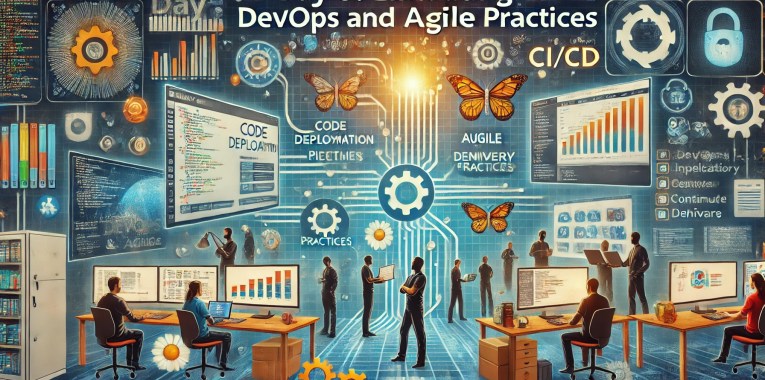
Embracing DevOps and Agile Practices

Day 6 of Renier Botha’s 10-Day Blog Series on Navigating the Future: The Evolving Role of the CTO

In the fast-paced world of technology, businesses must continually adapt and innovate to stay competitive. DevOps and agile methodologies have emerged as critical frameworks for enhancing collaboration, improving software quality, and accelerating deployment speeds. By fostering a culture that embraces these practices, organizations can streamline their operations, reduce time-to-market, and deliver high-quality products that meet customer needs. This comprehensive blog post explores how to effectively implement DevOps and agile methodologies, featuring insights from industry leaders and real-world examples.

Understanding DevOps and Agile Methodologies

What is DevOps?

DevOps is a set of practices that combines software development (Dev) and IT operations (Ops) to shorten the development lifecycle and deliver high-quality software continuously. DevOps emphasizes collaboration, automation, and integration, breaking down silos between development and operations teams.

Quote: “DevOps is not a goal, but a never-ending process of continual improvement.” – Jez Humble, Co-Author of “The DevOps Handbook”

What is Agile?

Agile is a methodology that promotes iterative development, where requirements and solutions evolve through collaboration between cross-functional teams. Agile focuses on customer satisfaction, flexibility, and rapid delivery of small, incremental changes.

Quote: “Agile is not a noun; agile is how you do something. It’s an approach, it’s a way of thinking, it’s a philosophy.” – Dave West, CEO of Scrum.org

Benefits of Embracing DevOps and Agile Practices

  • Improved Collaboration: DevOps and agile methodologies foster better communication and collaboration between development, operations, and other stakeholders.
  • Increased Efficiency: Automation and continuous integration/continuous deployment (CI/CD) pipelines streamline processes and reduce manual errors.
  • Faster Time-to-Market: Iterative development and rapid feedback loops enable quicker releases and faster response to market changes.
  • Higher Quality: Continuous testing and integration improve software quality and reduce the risk of defects.
  • Enhanced Customer Satisfaction: Agile practices ensure that customer feedback is incorporated into development, leading to products that better meet user needs.

Strategies for Fostering a DevOps and Agile Culture

1. Promote Collaboration and Communication

Break down silos between teams by fostering a culture of collaboration and open communication. Encourage cross-functional teams to work together, share knowledge, and align their goals.

Example: At Spotify, autonomous squads work collaboratively on different parts of the product. Each squad includes members from various disciplines, such as development, design, and operations, enabling seamless collaboration and rapid delivery.

2. Implement Automation

Automate repetitive tasks to increase efficiency and reduce the risk of human error. Implement CI/CD pipelines to automate code integration, testing, and deployment processes.

Example: Amazon uses automation extensively in its DevOps practices. By automating deployment and testing processes, Amazon can release new features and updates multiple times a day, ensuring continuous delivery and high availability.

3. Adopt Continuous Integration and Continuous Deployment (CI/CD)

CI/CD practices involve integrating code changes frequently and deploying them automatically to production environments. This approach reduces integration issues, accelerates delivery, and ensures that software is always in a releasable state.

Quote: “The first step towards a successful CI/CD pipeline is having your development team work closely with your operations team, ensuring smooth code integration and delivery.” – Gene Kim, Co-Author of “The Phoenix Project”

4. Focus on Iterative Development

Embrace agile practices such as Scrum or Kanban to implement iterative development. Break down projects into smaller, manageable tasks and deliver incremental improvements through regular sprints or iterations.

Example: Atlassian, the company behind Jira and Confluence, uses agile methodologies to manage its development process. Agile practices enable Atlassian to release updates frequently, respond to customer feedback, and continuously improve its products.

5. Encourage a Learning and Experimentation Culture

Foster a culture of continuous learning and experimentation. Encourage teams to try new approaches, learn from failures, and share their experiences. Provide training and resources to keep team members updated with the latest practices and technologies.

Example: Google’s Site Reliability Engineering (SRE) teams are known for their culture of learning and experimentation. SREs are encouraged to innovate and improve systems, and the organization supports a blameless post-mortem culture to learn from failures.

6. Measure and Improve

Regularly measure the performance of your DevOps and agile practices using key performance indicators (KPIs) such as deployment frequency, lead time for changes, mean time to recovery (MTTR), and change failure rate. Use these metrics to identify areas for improvement and continuously refine your processes.

Quote: “You can’t improve what you don’t measure. Metrics are essential to understand how well your DevOps and agile practices are working and where you can make improvements.” – Nicole Forsgren, Co-Author of “Accelerate: The Science of Lean Software and DevOps”

Real-World Examples of DevOps and Agile Practices

Example 1: Netflix

Netflix is renowned for its innovative use of DevOps and agile practices. The company’s deployment automation and continuous delivery systems allow engineers to release code frequently and reliably. Netflix’s “Simian Army” tools, such as Chaos Monkey, test the resilience of its infrastructure by randomly shutting down instances, ensuring the system can handle failures.

Example 2: Microsoft

Microsoft’s transformation under CEO Satya Nadella has been marked by a strong emphasis on DevOps and agile methodologies. The company adopted agile practices to improve collaboration between development and operations teams, leading to faster releases and enhanced software quality. Azure DevOps, Microsoft’s set of development tools, exemplifies the company’s commitment to DevOps principles.

Example 3: Etsy

Etsy, an online marketplace, has successfully integrated DevOps and agile practices to improve its deployment process. By adopting continuous integration, continuous delivery, and automated testing, Etsy reduced deployment times from hours to minutes. The company also fosters a blameless post-mortem culture, encouraging teams to learn from failures and continuously improve.

Conclusion

Embracing DevOps and agile practices is essential for organizations looking to enhance collaboration, improve software quality, and achieve faster deployment speeds. By promoting a culture of collaboration, implementing automation, adopting CI/CD practices, focusing on iterative development, encouraging learning and experimentation, and measuring performance, organizations can successfully integrate these methodologies into their operations.

As technology continues to evolve, staying agile and adaptable is crucial for maintaining a competitive edge. By leveraging the power of DevOps and agile practices, businesses can drive innovation, deliver high-quality products, and meet the ever-changing needs of their customers.

Read more blog post on Methodologies here : https://renierbotha.com/tag/methodologies/

Stay tuned as we continue to explore critical topics in our 10-day blog series, “Navigating the Future: A 10-Day Blog Series on the Evolving Role of the CTO” by Renier Botha.

Visit www.renierbotha.com for more insights and expert advice.

DevOps – The Methodology

Understanding DevOps: Bridging the Gap Between Development and Operations

In the past 15 years, driven by demand on the effective development, depoloyment and support of software solutions, the DevOps methodology has emerged as a transformative approach seemlessly melting together software development and IT operations. It aims to enhance collaboration, streamline processes, and accelerate the delivery of high-quality software products. This blog post will delve into the core principles, benefits, and key practices of DevOps, providing a comprehensive overview of why this methodology has become indispensable for modern organisations.

What is DevOps?

DevOps is a cultural and technical movement that combines software development (Dev) and IT operations (Ops) with the goal of shortening the system development lifecycle and delivering high-quality software continuously. It emphasises collaboration, communication, and integration between developers and IT operations teams, fostering a unified approach to problem-solving and productivity.

Core Principles of DevOps

  • Collaboration and Communication:
    DevOps breaks down silos between development and operations teams, encouraging continuous collaboration and open communication. This alignment helps in understanding each other’s challenges and working towards common goals.
  • Continuous Integration and Continuous Delivery (CI/CD):
    CI/CD practices automate the integration and deployment process, ensuring that code changes are automatically tested and deployed to production. This reduces manual intervention, minimises errors, and speeds up the release cycle.
  • Infrastructure as Code (IaC):
    IaC involves managing and provisioning computing infrastructure through machine-readable scripts, rather than physical hardware configuration or interactive configuration tools. This practice promotes consistency, repeatability, and scalability.
  • Automation:
    Automation is a cornerstone of DevOps, encompassing everything from code testing to infrastructure provisioning. Automated processes reduce human error, increase efficiency, and free up time for more strategic tasks.
  • Monitoring and Logging:
    Continuous monitoring and logging of applications and infrastructure help in early detection of issues, performance optimisation, and informed decision-making. It ensures that systems are running smoothly and any anomalies are quickly addressed.
  • Security:
    DevSecOps integrates security practices into the DevOps pipeline, ensuring that security is an integral part of the development process rather than an afterthought. This proactive approach to security helps in identifying vulnerabilities early and mitigating risks effectively.

Benefits of DevOps

  • Faster Time-to-Market:
    By automating processes and fostering collaboration, DevOps significantly reduces the time taken to develop, test, and deploy software. This agility allows organisations to respond quickly to market changes and customer demands.
  • Improved Quality:
    Continuous testing and integration ensure that code is frequently checked for errors, leading to higher-quality software releases. Automated testing helps in identifying and fixing issues early in the development cycle.
  • Enhanced Collaboration:
    DevOps promotes a culture of shared responsibility and transparency, enhancing teamwork and communication between development, operations, and other stakeholders. This collective approach leads to better problem-solving and innovation.
  • Scalability and Flexibility:
    With practices like IaC and automated provisioning, scaling infrastructure becomes more efficient and flexible. Organisations can quickly adapt to changing requirements and scale their operations seamlessly.
  • Increased Efficiency:
    Automation of repetitive tasks reduces manual effort and allows teams to focus on more strategic initiatives. This efficiency leads to cost savings and better resource utilisation.
  • Greater Reliability:
    Continuous monitoring and proactive issue resolution ensure higher system reliability and uptime. DevOps practices help in maintaining stable and resilient production environments.

Key DevOps Practices

  1. Version Control:
    Using version control systems like Git to manage code changes ensures that all changes are tracked, reversible, and collaborative.
  2. Automated Testing:
    Implementing automated testing frameworks to continuously test code changes helps in identifying and addressing issues early.
  3. Configuration Management:
    Tools like Ansible, Puppet, and Chef automate the configuration of servers and environments, ensuring consistency across development, testing, and production environments.
  4. Continuous Deployment:
    Deploying code changes automatically to production environments after passing automated tests ensures that new features and fixes are delivered rapidly and reliably.
  5. Containerisation:
    Using containers (e.g., Docker) to package applications and their dependencies ensures consistency across different environments and simplifies deployment.
  6. Monitoring and Alerting:
    Implementing comprehensive monitoring solutions (e.g., Prometheus, Grafana) to track system performance and set up alerts for potential issues helps in maintaining system health.

Recommended Reading

For those looking to dive deeper into the principles and real-world applications of DevOps, several books offer valuable insights:

  • “The DevOps Handbook” by Gene Kim, Jez Humble, Patrick Debois, and John Willis:
    This book is a comprehensive guide to the DevOps methodology, offering practical advice and real-world case studies on how to implement DevOps practices effectively. It covers everything from continuous integration to monitoring and security, making it an essential resource for anyone interested in DevOps.
  • “The Phoenix Project” by Gene Kim, Kevin Behr, and George Spafford:
    Presented as a novel, this book tells the story of an IT manager tasked with saving a failing project. Through its engaging narrative, “The Phoenix Project” illustrates the challenges and benefits of adopting DevOps principles. It provides a compelling look at how organisations can transform their IT operations to achieve better business outcomes.
  • “The Unicorn Project” by Gene Kim:
    A follow-up to “The Phoenix Project,” this novel focuses on the perspective of a software engineer within the same organisation. It delves deeper into the technical and cultural aspects of DevOps, exploring themes of autonomy, mastery, and purpose. “The Unicorn Project” offers a detailed look at the developer’s role in driving DevOps transformation.

Conclusion

DevOps is more than just a set of practices, it’s a cultural shift that transforms how organisations develop, deploy, and manage software. By fostering collaboration, automation, and continuous improvement, DevOps helps organisations deliver high-quality software faster and more reliably. Embracing DevOps can lead to significant improvements in efficiency, productivity, and customer satisfaction, making it an essential methodology for any modern IT organisation.

By understanding and implementing the core principles and practices of DevOps, organisations can navigate the complexities of today’s technological landscape and achieve sustained success in their software development endeavours. Reading foundational books like “The DevOps Handbook,” “The Phoenix Project,” and “The Unicorn Project” can provide valuable insights and practical guidance on this transformative journey.

Optimising Cloud Management: A Comprehensive Comparison of Bicep and Terraform for Azure Deployment

In the evolutionary landscape of cloud computing, the ability to deploy and manage infrastructure efficiently is paramount. Infrastructure as Code (IaC) has emerged as a pivotal practice, enabling developers and IT operations teams to automate the provisioning of infrastructure through code. This practice not only speeds up the deployment process but also enhances consistency, reduces the potential for human error, and facilitates scalability and compliance.

Among the tools at the forefront of this revolution are Bicep and Terraform, both of which are widely used for managing resources on Microsoft Azure, one of the leading cloud service platforms. Bicep, developed by Microsoft, is designed specifically for Azure, offering a streamlined approach to managing Azure resources. On the other hand, Terraform, developed by HashiCorp, provides a more flexible, multi-cloud solution, capable of handling infrastructure across various cloud environments including Azure, AWS, and Google Cloud.

The choice between Bicep and Terraform can significantly influence the efficiency and effectiveness of cloud infrastructure management. This article delves into a detailed comparison of these two tools, exploring their capabilities, ease of use, and best use cases to help you make an informed decision that aligns with your organisational needs and cloud strategies.

Bicep and Terraform are both popular Infrastructure as Code (IaC) tools used to manage and provision infrastructure, especially for cloud platforms like Microsoft Azure. Here’s a detailed comparison of the two, focusing on key aspects such as design philosophy, ease of use, community support, and integration capabilities:

  • Language and Syntax
    • Bicep:
      Bicep is a domain-specific language (DSL) developed by Microsoft specifically for Azure. Its syntax is cleaner and more concise compared to ARM (Azure Resource Manager) templates. Bicep is designed to be easy to learn for those familiar with ARM templates, offering a declarative syntax that directly transcompiles into ARM templates.
    • Terraform:
      Terraform uses its own configuration language called HashiCorp Configuration Language (HCL), which is also declarative. HCL is known for its human-readable syntax and is used to manage a wide variety of services beyond just Azure. Terraform’s language is more verbose compared to Bicep but is powerful in expressing complex configurations.
  • Platform Support
    • Bicep:
      Bicep is tightly integrated with Azure and is focused solely on Azure resources. This means it has excellent support for new Azure features and services as soon as they are released.
    • Terraform:
      Terraform is platform-agnostic and supports multiple providers including Azure, AWS, Google Cloud, and many others. This makes it a versatile tool if you are managing multi-cloud environments or need to handle infrastructure across different cloud platforms.
  • State Management
    • Bicep:
      Bicep relies on ARM for state management. Since ARM itself manages the state of resources, Bicep does not require a separate mechanism to keep track of resource states. This can simplify operations but might offer less control compared to Terraform.
    • Terraform:
      Terraform maintains its own state file which tracks the state of managed resources. This allows for more complex dependency tracking and precise state management but requires careful handling, especially in team environments to avoid state conflicts.
  • Tooling and Integration
    • Bicep:
      Bicep integrates seamlessly with Azure DevOps and GitHub Actions for CI/CD pipelines, leveraging native Azure tooling and extensions. It is well-supported within the Azure ecosystem, including integration with Azure Policy and other governance tools.
    • Terraform:
      Terraform also integrates well with various CI/CD tools and has robust support for modules which can be shared across teams and used to encapsulate complex setups. Terraform’s ecosystem includes Terraform Cloud and Terraform Enterprise, which provide advanced features for teamwork and governance.
  • Community and Support
    • Bicep:
      As a newer and Azure-specific tool, Bicep’s community is smaller but growing. Microsoft actively supports and updates Bicep. The community is concentrated around Azure users.
    • Terraform:
      Terraform has a large and active community with a wide range of custom providers and modules contributed by users around the world. This vast community support makes it easier to find solutions and examples for a variety of use cases.
  • Configuration as Code (CaC)
    • Bicep and Terraform:
      Both tools support Configuration as Code (CaC) principles, allowing not only the provisioning of infrastructure but also the configuration of services and environments. They enable codifying setups in a manner that is reproducible and auditable.

This table outlines key differences between Bicep and Terraform (outlined above), helping you to determine which tool might best fit your specific needs, especially in relation to deploying and managing resources in Microsoft Azure for Infrastructure as Code (IaC) and Configuration as Code (CaC) development.

FeatureBicepTerraform
Language & SyntaxSimple, concise DSL designed for Azure.HashiCorp Configuration Language (HCL), versatile and expressive.
Platform SupportAzure-specific with excellent support for Azure features.Multi-cloud support, including Azure, AWS, Google Cloud, etc.
State ManagementUses Azure Resource Manager; no separate state management needed.Manages its own state file, allowing for complex configurations and dependency tracking.
Tooling & IntegrationDeep integration with Azure services and CI/CD tools like Azure DevOps.Robust support for various CI/CD tools, includes Terraform Cloud for advanced team functionalities.
Community & SupportSmaller, Azure-focused community. Strong support from Microsoft.Large, active community. Extensive range of modules and providers available.
Use CaseIdeal for exclusive Azure environments.Suitable for complex, multi-cloud environments.

Conclusion

Bicep might be more suitable if your work is focused entirely on Azure due to its simplicity and deep integration with Azure services. Terraform, on the other hand, would be ideal for environments where multi-cloud support is required, or where more granular control over infrastructure management and versioning is necessary. Each tool has its strengths, and the choice often depends on specific project requirements and the broader technology ecosystem in which your infrastructure operates.

Embracing Efficiency: The FinOps Framework Revolution

In an era where cloud computing is the backbone of digital transformation, managing cloud costs effectively has become paramount for businesses aiming for growth and sustainability. This is where the FinOps Framework enters the scene, a game-changer in the financial management of cloud services. Let’s dive into what FinOps is, how to implement it, and explore its benefits through real-life examples.

What is the FinOps Framework?

The FinOps Framework is a set of practices designed to bring financial accountability to the variable spend model of the cloud, enabling organisations to get the most value out of every pound spent. FinOps, short for Financial Operations, combines the disciplines of finance, operations, and engineering to ensure that cloud investments are aligned with business outcomes and that every pound spent on the cloud brings value to the organisation.

The FinOps Framework refers to a set of practices and principles designed to help organisations manage and optimise cloud spending efficiently.

The core of the FinOps Framework revolves around a few key principles:

  • Collaboration and Accountability: Encouraging a culture of financial accountability across different departments and teams, enabling them to work together to manage and optimise cloud costs.
  • Real-time Decision Making: Utilising real-time data to make informed decisions about cloud usage and expenditures, enabling teams to adjust their strategies quickly as business needs and cloud offerings evolve.
  • Optimisation and Efficiency: Continuously seeking ways to improve the efficiency of cloud investments, through cost optimisation strategies such as selecting the right mix of cloud services, identifying unused or underutilised resources, and leveraging commitments or discounts offered by cloud providers.

Financial Management and Reporting: Implementing tools and processes to track, report, and forecast cloud spending accurately, ensuring transparency and enabling better budgeting and forecasting.

Culture of Cloud Cost Management: Embedding cost considerations into the organisational culture and the lifecycle of cloud usage, from planning and budgeting to deployment and operations.

Governance and Control: Establishing policies and controls to manage cloud spend without hindering agility or innovation, ensuring that cloud investments are aligned with business objectives.

The FinOps Foundation, an independent organisation, plays a pivotal role in promoting and advancing the FinOps discipline by providing education, best practices, and industry benchmarks. The organisation supports the FinOps community by offering certifications, resources, and forums for professionals to share insights and strategies for cloud cost management.”

This version tweaks a few spellings and terms (e.g., “organisation” instead of “organization,” “optimise” instead of “optimize”) to match British English usage more closely.

Implementing FinOps: A Step-by-Step Guide

  1. Establish a Cross-Functional Team: Start by forming a FinOps team that includes members from finance, IT, and business units. This team is responsible for driving FinOps practices throughout the organisation.
  2. Understand Cloud Usage and Costs: Implement tools and processes to gain visibility into your cloud spending. This involves tracking usage and costs in real-time, identifying trends, and pinpointing areas of inefficiency.
  3. Create a Culture of Accountability: Promote a culture where every team member is aware of cloud costs and their impact on the organisation. Encourage teams to take ownership of their cloud usage and spending.
  4. Optimise Existing Resources: Regularly review and adjust your cloud resources. Look for opportunities to resize, remove, or replace resources to ensure you are only paying for what you need.
  5. Forecast and Budget: Develop accurate forecasting and budgeting processes that align with your cloud spending trends. This helps in better financial planning and reduces surprises in cloud costs.
  6. Implement Governance and Control: Establish policies and governance mechanisms to control cloud spending without stifling innovation. This includes setting spending limits and approval processes for cloud services.

The Benefits of Adopting FinOps

Cost Optimisation: By gaining visibility into cloud spending, organisations can identify wasteful expenditure and optimise resource usage, leading to significant cost savings.

Enhanced Agility: FinOps practices enable businesses to adapt quickly to changing needs by making informed decisions based on real-time data, thus improving operational agility.

Better Collaboration: The framework fosters collaboration between finance, operations, and engineering teams, breaking down silos and enhancing overall efficiency.

Informed Decision-Making: With detailed insights into cloud costs and usage, businesses can make informed decisions that align with their strategic objectives.

Real-Life Examples

A Global Retail Giant: By implementing FinOps practices, this retail powerhouse was able to reduce its cloud spending by 30% within the first year. The company achieved this by identifying underutilised resources and leveraging committed use discounts from their cloud provider.

A Leading Online Streaming Service: This entertainment company used FinOps to manage its massive cloud infrastructure more efficiently. Through detailed cost analysis and resource optimisation, they were able to handle growing subscriber numbers without proportionally increasing cloud costs.

A Tech Start-up: A small but rapidly growing tech firm adopted FinOps early in its journey. This approach enabled the start-up to scale its operations seamlessly, maintaining control over cloud costs even as their usage skyrocketed.

Conclusion

The FinOps Framework is not just about cutting costs; it’s about maximising the value of cloud investments in a disciplined and strategic manner. By fostering collaboration, enhancing visibility, and promoting a culture of accountability, organisations can turn their cloud spending into a strategic advantage. As cloud computing continues to evolve, adopting FinOps practices will be key to navigating the complexities of cloud management, ensuring businesses remain competitive in the digital age.

The Importance of Standardisation and Consistency in Software Development Environments

Ensuring that software development teams have appropriate hardware and software specifications as part of their tooling is crucial for businesses for several reasons:

  1. Standardisation and Consistency: Beyond individual productivity and innovation, establishing standardised hardware, software and work practice specifications across the development team is pivotal for ensuring consistency, interoperability, and efficient collaboration. Standardisation can help in creating a unified development environment where team members can seamlessly work together, share resources, and maintain a consistent workflow. This is particularly important in large or distributed teams, where differences in tooling can lead to compatibility issues, hinder communication, and slow down the development process. Moreover, standardising tools and platforms simplifies training and onboarding for new team members, allowing them to quickly become productive. It also eases the management of licences, updates, and security patches, ensuring that the entire team is working with the most up-to-date and secure software versions. By fostering a standardised development environment, businesses can minimise technical discrepancies that often lead to inefficiencies, reduce the overhead associated with managing diverse systems, and ensure that their development practices are aligned with industry standards and best practices. This strategic approach not only enhances operational efficiency but also contributes to the overall quality and security of the software products developed.
  2. Efficiency and Productivity: Proper tools tailored to the project’s needs can significantly boost the productivity of a development team. Faster and more powerful hardware can reduce compile times, speed up test runs, and facilitate the use of complex development environments or virtualisation technologies, directly impacting the speed at which new features or products can be developed and released.
  3. Quality and Reliability: The right software tools and hardware can enhance the quality and reliability of the software being developed. This includes tools for version control, continuous integration/continuous deployment (CI/CD), automated testing, and code quality analysis. Such tools help in identifying and fixing bugs early, ensuring code quality, and facilitating smoother deployment processes, leading to more reliable and stable products.
  4. Innovation and Competitive Edge: Access to the latest technology and cutting-edge tools can empower developers to explore innovative solutions and stay ahead of the competition. This could be particularly important in fields that are rapidly evolving, such as artificial intelligence (AI), where the latest hardware accelerations (e.g., GPUs for machine learning tasks) can make a significant difference in the feasibility and speed of developing new algorithms or services.
  5. Scalability and Flexibility: As businesses grow, their software needs evolve. Having scalable and flexible tooling can make it easier to adapt to changing requirements without significant disruptions. This could involve cloud-based development environments that can be easily scaled up or down, or software that supports modular and service-oriented architectures.
  6. Talent Attraction and Retention: Developers often prefer to work with modern, efficient tools and technologies. Providing your team with such resources can be a significant factor in attracting and retaining top talent. Skilled developers are more likely to join and stay with a company that invests in its technology stack and cares about the productivity and satisfaction of its employees.
  7. Cost Efficiency: While investing in high-quality hardware and software might seem costly upfront, it can lead to significant cost savings in the long run. Improved efficiency and productivity mean faster time-to-market, which can lead to higher revenues. Additionally, reducing the incidence of bugs and downtime can decrease the cost associated with fixing issues post-release. Also, utilising cloud services and virtualisation can optimise resource usage and reduce the need for physical hardware upgrades.
  8. Security: Appropriate tooling includes software that helps ensure the security of the development process and the final product. This includes tools for secure coding practices, vulnerability scanning, and secure access to development environments. Investing in such tools can help prevent security breaches, which can be incredibly costly in terms of both finances and reputation.

In conclusion, the appropriate hardware and software specifications are not just a matter of having the right tools for the job; they’re about creating an environment that fosters productivity, innovation, and quality, all of which are key to maintaining a competitive edge and ensuring long-term business success.

Transformative IT: Lessons from “The Phoenix Project” on Embracing DevOps and Fostering Innovation

Synopsis

“The Phoenix Project: A Novel About IT, DevOps, and Helping Your Business Win” is a book by Gene Kim, Kevin Behr, and George Spafford that uses a fictional narrative to explore the real-world challenges faced by IT departments in modern enterprises. The story follows Bill Palmer, an IT manager at Parts Unlimited, an auto parts company on the brink of collapse due to its outdated and inefficient IT infrastructure.

The book is structured around Bill’s journey as he is unexpectedly promoted to VP of IT Operations and tasked with salvaging a critical project, code-named The Phoenix Project, which is massively over budget and behind schedule. Through his efforts to save the project and the company, Bill is introduced to the principles of DevOps, a set of practices that aim to unify software development (Dev) and software operation (Ops).

As Bill navigates a series of crises, he learns from a mysterious mentor named Erik, who introduces him to the “Three Ways”: The principles of flow (making work move faster through the system), feedback (creating short feedback loops to learn and adapt), and continual learning and experimentation. These principles guide Bill and his team in transforming their IT department from a bottleneck into a competitive advantage for Parts Unlimited.

“The Phoenix Project” is not just a story about IT and DevOps, it’s a tale about leadership, collaboration, and the importance of aligning technology with business objectives. It’s praised for its insightful depiction of the challenges faced by IT professionals and for offering practical solutions through the lens of a compelling narrative. The book has become essential reading for anyone involved in IT management, software development, and organisational change.

Learnings

“The Phoenix Project” offers numerous key learnings and benefits for IT professionals, encapsulating valuable lessons in IT management, DevOps practices, and organizational culture. Here are some of the most significant takeaways:

  • The Importance of DevOps: The book illustrates how integrating development and operations teams can lead to more efficient and effective processes, emphasizing collaboration, automation, continuous delivery, and quick feedback loops.
  • The Three Ways:
    • The First Way focuses on the flow of work from Development to IT Operations to the customer, encouraging the streamlining of processes and reduction of bottlenecks.
    • The Second Way emphasizes the importance of feedback loops. Quick and effective feedback can help in early identification and resolution of issues, leading to improved quality and customer satisfaction.
    • The Third Way is about creating a culture of continual experimentation, learning, and taking risks. Encouraging continuous improvement and innovation can lead to better processes and products.
  • Understanding and Managing Work in Progress (WIP): Limiting the amount of work in progress can improve focus, speed up delivery times, and reduce burnout among team members.
  • Automation: Automating repetitive tasks can reduce errors, free up valuable resources, and speed up the delivery of software updates.
  • Breaking Down Silos: Encouraging collaboration and communication between different departments (not just IT and development) can lead to a more cohesive and agile organization.
  • Focus on the Value Stream: Identifying and focusing on the value stream, or the steps that directly contribute to delivering value to the customer, can help in prioritizing work and eliminating waste.
  • Leadership and Culture: The book underscores the critical role of leadership in driving change and fostering a culture that values continuous improvement, collaboration, and innovation.
  • Learning from Failures: Encouraging a culture where failures are seen as opportunities for learning and growth can help organizations innovate and improve continuously.

For IT professionals, “The Phoenix Project” is more than just a guide to implementing DevOps practices, it’s a manifesto for a cultural shift towards more agile, collaborative, and efficient IT management approaches. It offers insights into how IT can transform from a cost center to a strategic partner capable of delivering significant business value.

DevOps: An Immersive Simulation

It’s 8:15 am on Thursday 5th April and I’m on the 360 bus to Imperial College, London. No — I’ve not decided to go back to college, I am attending a DevOps (a software engineering culture and practice that aims at unifying software development and software operation) simulation day being run by the fabulous guys from G2G3.

I’ve known the G2G3 team for several years now, having been on my very first ITSM (IT Service Management) simulation way back in 2010 when I worked for the NHS in Norfolk and I can honestly say that that first simulation blew me away! In fact, I was so impressed with that I have helped deliver almost 25 ITSM sims since that day, in partnership with G2G3.

Having worked with ITIL (IT Infrastructure Library) based operations teams for most of my career, I remember when DevOps first became “a thing”. I was sharing an office with the Application Manager at the time and I can honestly say that it seemed a very chaotic way of justifying throwing fixes/enhancements into a live service. This really conflicted with my traditional ITSM beliefs that you should try to stop fires happening in the first place, so as you can imagine, we had some lively conversations in the office.

Since then, DevOps has grown into the significant, best practice approach that it is today. DevOps has found its place alongside service management best practice, allowing the two to complement each other.

Anyway, back to the 360 bus — let me tell you a bit about the day…

On arrival, I met with Jaro and Chris from G2G3 who were leading the day. The participants consisted of a variety of people from different backgrounds, some trainers, some practitioners, but all with a shared interest in DevOps. Big shout out as well to the guys who came all the way from Brazil!!! Shows how good these sessions are!

The day kicked off with us taking our places at the tables that are scattered around the room as we are given an explanation of how the sim works. I do not want to go into detail about what happens over the day, as you really need to approach these sessions with an open mind, rather than know the answers. What I can tell you is that the rest of the day consisted of rounds of activity, with each one followed by opportunities for learning and improving and planning. There are times when you find yourself doing something you would never normally do, amidst the chaos of the first round. This was summed up by my colleague, another service management professional, who had to admit that they “put it in untested”, much to the enjoyment of the rest of the room!

The day itself went by in a blur! People who you met at the beginning of the day, are now old friends that you go down the pub with at the end of the day! These new-found friends are also a fantastic pot of knowledge, with everyone able to share ideas and approaches.

The day was a rollercoaster of emotions — At the beginning of the day, I was apprehensive about whether I had enough knowledge of DevOps. Apprehension quickly changed to a general feeling of frustration and confusion through round one, as I tried to use my Tetris knowledge to develop products! I finished the day with a real sense of satisfaction — I had held my own and the whole team had been successful in developing products and delivering a profit for the business. There were some light-bulb moments for me along the way, in particular around needing to make sure that any developments should integrate with each other and also meet the user acceptance criteria. I also realised that DevOps is more structured than I thought with checkpoints along the way to ensure success. The unique way in which simulations are delivered serves to immerse people in a subject whilst encouraging them to change behaviours through self-discovery.

I have always received very good feedback for ITSM simulations, and I can see that the DevOps simulation will prove to be as successful.

Several of us also returned to Imperial College the next day to attend the Train the Trainer session for the DevOps simulation. This means that we can now offer tailored simulations either as an individual session or as part of a wider programme of change.

Simulations are always difficult to explain, without giving away the content of the day, but if you would like to find out more, please contact me onsandra.lewis@bedifrent.com


Written by Sandra Lewis — Difrent Service Mannagement Lead
@sandraattp | sandra.lewis@bedifrent.com | +44(0) 1753 752 220