C4 Architecture Model – Detailed Explanation

The C4 model, developed by Simon Brown, is a framework for visualizing software architecture at various levels of detail. It emphasizes the use of hierarchical diagrams to represent different aspects and views of a system, providing a comprehensive understanding for various stakeholders. The model’s name, C4, stands for Context, Containers, Components, and Code, each representing a different level of architectural abstraction.

Levels of the C4 Model

1. Context (Level 1)

Purpose: To provide a high-level overview of the system and its environment.

  • The System Context diagram is a high-level view of your software system.
  • It shows your software system as the central part, and any external systems and users that your system interacts with.
  • It should be technology agnostic, and the focus on the people and software systems instead of low-level details.
  • The intended audience for the System Context Diagram is everybody. If you can show it to non-technical people and they are able to understand it, then you know you’re on the right track.

Key Elements:

  • System: The primary system under consideration.
  • External Systems: Other systems that the primary system interacts with.
  • Users: Human actors or roles that interact with the system.

Diagram Features:

  • Scope: Shows the scope and boundaries of the system within its environment.
  • Relationships: Illustrates relationships between the system, external systems, and users.
  • Simplification: Focuses on high-level interactions, ignoring internal details.

Example: An online banking system context diagram might show:

  • The banking system itself.
  • External systems like payment gateways, credit scoring agencies, and notification services.
  • Users such as customers, bank employees, and administrators.

More Extensive Detail:

  • Primary System: Represents the main application or service being documented.
  • Boundaries: Defines the limits of what the system covers.
  • Purpose: Describes the main functionality and goals of the system.
  • External Systems: Systems outside the primary system that interact with it.
  • Dependencies: Systems that the primary system relies on for specific functionalities (e.g., third-party APIs, external databases).
  • Interdependencies: Systems that rely on the primary system (e.g., partner applications).
  • Users: Different types of users who interact with the system.
  • Roles: Specific roles that users may have, such as Admin, Customer, Support Agent.
  • Interactions: The nature of interactions users have with the system (e.g., login, data entry, report generation).

2. Containers (Level 2)

When you zoom into one software system, you get to the Container diagram.

Purpose: To break down the system into its major containers, showing their interactions.

  • Your software system is comprised of multiple running parts – containers.
  • A container can be a:
    • Web application
    • Single-page application
    • Database
    • File system
    • Object store
    • Message broker
  • You can look at a container as a deployment unit that executes code or stores data.
  • The Container diagram shows the high-level view of the software architecture and the major technology choices.
  • The Container diagram is intended for technical people inside and outside of the software development team:
    • Operations/support staff
    • Software architects
    • Developers

Key Elements:

  • Containers: Executable units or deployable artifacts (e.g., web applications, databases, microservices).
  • Interactions: Communication and data flow between containers and external systems.

Diagram Features:

  • Runtime Environment: Depicts the containers and their runtime environments.
  • Technology Choices: Shows the technology stacks and platforms used by each container.
  • Responsibilities: Describes the responsibilities of each container within the system.

Example: For the online banking system:

  • Containers could include a web application, a mobile application, a backend API, and a database.
  • The web application might interact with the backend API for business logic and the database for data storage.
  • The mobile application might use a different API optimized for mobile clients.

More Extensive Detail:

  • Web Application:
    • Technology Stack: Frontend framework (e.g., Angular, React), backend language (e.g., Node.js, Java).
    • Responsibilities: User interface, handling user requests, client-side validation.
  • Mobile Application:
    • Technology Stack: Native (e.g., Swift for iOS, Kotlin for Android) or cross-platform (e.g., React Native, Flutter).
    • Responsibilities: User interface, handling user interactions, offline capabilities.
  • Backend API:
    • Technology Stack: Server-side framework (e.g., Spring Boot, Express.js), programming language (e.g., Java, Node.js).
    • Responsibilities: Business logic, data processing, integrating with external services.
  • Database:
    • Technology Stack: Type of database (e.g., SQL, NoSQL), specific technology (e.g., PostgreSQL, MongoDB).
    • Responsibilities: Data storage, data retrieval, ensuring data consistency and integrity.

3. Components (Level 3)

Next you can zoom into an individual container to decompose it into its building blocks.

Purpose: To further decompose each container into its key components and their interactions.

  • The Component diagram show the individual components that make up a container:
    • What each of the components are
    • The technology and implementation details
  • The Component diagram is intended for software architects and developers.

Key Elements:

  • Components: Logical units within a container, such as services, modules, libraries, or APIs.
  • Interactions: How these components interact within the container.

Diagram Features:

  • Internal Structure: Shows the internal structure and organization of each container.
  • Detailed Responsibilities: Describes the roles and responsibilities of each component.
  • Interaction Details: Illustrates the detailed interaction between components.

Example: For the backend API container of the online banking system:

  • Components might include an authentication service, an account management module, a transaction processing service, and a notification handler.
  • The authentication service handles user login and security.
  • The account management module deals with account-related operations.
  • The transaction processing service manages financial transactions.
  • The notification handler sends alerts and notifications to users.

More Extensive Detail:

  • Authentication Service:
    • Responsibilities: User authentication, token generation, session management.
    • Interactions: Interfaces with the user interface components, interacts with the database for user data.
  • Account Management Module:
    • Responsibilities: Managing user accounts, updating account information, retrieving account details.
    • Interactions: Interfaces with the authentication service for user validation, interacts with the transaction processing service.
  • Transaction Processing Service:
    • Responsibilities: Handling financial transactions, validating transactions, updating account balances.
    • Interactions: Interfaces with the account management module, interacts with external payment gateways.
  • Notification Handler:
    • Responsibilities: Sending notifications (e.g., emails, SMS) to users, managing notification templates.
    • Interactions: Interfaces with the transaction processing service to send transaction alerts, interacts with external notification services.

4. Code (Level 4)

Finally, you can zoom into each component to show how it is implemented with code, typically using a UML class diagram or an ER diagram.

Purpose: To provide detailed views of the codebase, focusing on specific components or classes.

  • This level is rarely used as it goes into too much technical detail for most use cases. However, there are supplementary diagrams that can be useful to fill in missing information by showcasing:
    • Sequence of events
    • Deployment information
    • How systems interact at a higher level
  • It’s only recommended for the most important or complex components.
  • Of course, the target audience are software architects and developers.

Key Elements:

  • Classes: Individual classes, methods, or functions within a component.
  • Relationships: Detailed relationships like inheritance, composition, method calls, or data flows.

Diagram Features:

  • Detailed Code Analysis: Offers a deep dive into the code structure and logic.
  • Code-Level Relationships: Illustrates how classes and methods interact at a code level.
  • Implementation Details: Shows specific implementation details and design patterns used.

Example: For the transaction processing service in the backend API container:

  • Classes might include Transaction, TransactionProcessor, Account, and NotificationService.
  • The TransactionProcessor class might have methods for initiating, validating, and completing transactions.
  • Relationships such as TransactionProcessor calling methods on the Account class to debit or credit funds.

More Extensive Detail:

  • Transaction Class:
    • Attributes: transactionId, amount, timestamp, status.
    • Methods: validate(), execute(), rollback().
    • Responsibilities: Representing a financial transaction, ensuring data integrity.
  • TransactionProcessor Class:
    • Attributes: transactionQueue, auditLog.
    • Methods: processTransaction(transaction), validateTransaction(transaction), completeTransaction(transaction).
    • Responsibilities: Processing transactions, managing transaction flow, logging transactions.
  • Account Class:
    • Attributes: accountId, balance, accountHolder.
    • Methods: debit(amount), credit(amount), getBalance().
    • Responsibilities: Managing account data, updating balances, providing account information.
  • NotificationService Class:
    • Attributes: notificationQueue, emailTemplate, smsTemplate.
    • Methods: sendEmailNotification(recipient, message), sendSMSNotification(recipient, message).
    • Responsibilities: Sending notifications to users, managing notification templates, handling notification queues.

Benefits of the C4 Model

  • Clarity and Focus:
    • Provides a clear separation of concerns by breaking down the system into different levels of abstraction.
    • Each diagram focuses on a specific aspect, avoiding information overload.
  • Consistency and Standardization:
    • Offers a standardized approach to documenting architecture, making it easier to maintain consistency across diagrams.
    • Facilitates comparison and review of different systems using the same visual language.
  • Enhanced Communication:
    • Improves communication within development teams and with external stakeholders by providing clear, concise, and visually appealing diagrams.
    • Helps in onboarding new team members by offering an easy-to-understand representation of the system.
  • Comprehensive Documentation:
    • Ensures comprehensive documentation of the system architecture, covering different levels of detail.
    • Supports various documentation needs, from high-level overviews to detailed technical specifications.

Practical Usage of the C4 Model

  • Starting with Context:
    • Begin with a high-level context diagram to understand the system’s scope, external interactions, and primary users.
    • Use this diagram to set the stage for more detailed diagrams.
  • Defining Containers:
    • Break down the system into its major containers, showing how they interact and are deployed.
    • Highlight the technology choices and responsibilities of each container.
  • Detailing Components:
    • For each container, create a component diagram to illustrate the internal structure and interactions.
    • Focus on how functionality is divided among components and how they collaborate.
  • Exploring Code:
    • If needed, delve into the code level for specific components to provide detailed documentation and analysis.
    • Use class or sequence diagrams to show detailed code-level relationships and logic.

Example Scenario: Online Banking System

Context Diagram:

  • System: Online Banking System
  • External Systems: Payment Gateway, Credit Scoring Agency, Notification Service
  • Users: Customers, Bank Employees, Administrators
  • Description: Shows how customers interact with the banking system, which in turn interacts with external systems for payment processing, credit scoring, and notifications.

Containers Diagram:

  • Containers: Web Application, Mobile Application, Backend API, Database
  • Interactions: The web application and mobile application interact with the backend API. The backend API communicates with the database and external systems.
  • Technology Stack: The web application might be built with Angular, the mobile application with React Native, the backend API with Spring Boot, and the database with PostgreSQL.

Components Diagram:

  • Web Application Components: Authentication Service, User Dashboard, Transaction Module
  • Backend API Components: Authentication Service, Account Management Module, Transaction Processing Service, Notification Handler
  • Interactions: The Authentication Service in both the web application and backend API handles user authentication and security. The Transaction Module in the web application interacts with the Transaction Processing Service in the backend API.

Code Diagram:

  • Classes: Transaction, TransactionProcessor, Account, NotificationService
  • Methods: The TransactionProcessor class has methods for initiating, validating, and completing transactions. The NotificationService class has methods for sending notifications.
  • Relationships: The TransactionProcessor calls methods on the Account class to debit or credit funds. It also calls the NotificationService to send transaction alerts.

Conclusion

The C4 model is a powerful tool for visualising and documenting software architecture. By providing multiple levels of abstraction, it ensures that stakeholders at different levels of the organisation can understand the system. From high-level overviews to detailed code analysis, the C4 model facilitates clear communication, consistent documentation, and comprehensive understanding of complex software systems.
Cloud Provider Showdown: Unravelling Data, Analytics and Reporting Services for Medallion Architecture Lakehouse

Cloud Wars: A Deep Dive into Data, Analytics and Reporting Services for Medallion Architecture Lakehouse in AWS, Azure, and GCS

Introduction

Crafting a medallion architecture lakehouse demands precision and foresight. Amazon Web Services (AWS), Microsoft Azure, and Google Cloud Platform (GCP) emerge as juggernauts, each offering a rich tapestry of data and reporting services. This blog post delves into the intricacies of these offerings, unravelling the nuances that can influence your decision-making process for constructing a medallion architecture lakehouse that stands the test of time.

1. Understanding Medallion Architecture: Where Lakes and Warehouses Converge

Medallion architecture represents the pinnacle of data integration, harmonising the flexibility of data lakes with the analytical prowess of data warehouses, combined forming a lakehouse. By fusing these components seamlessly, organisations can facilitate efficient storage, processing, and analysis of vast and varied datasets, setting the stage for data-driven decision-making.

The medallion architecture is a data design pattern used to logically organise data in a lakehouse, with the goal of incrementally and progressively improving the structure and quality of data as it flows through each layer of the architecture. The architecture describes a series of data layers that denote the quality of data stored in the lakehouse. It is highly recommended, by Microsoft and Databricks, to take a multi-layered approach to building a single source of truth (golden source) for enterprise data products. This architecture guarantees atomicity, consistency, isolation, and durability as data passes through multiple layers of validations and transformations before being stored in a layout optimised for efficient analytics. The terms bronze (raw), silver (validated), and gold (enriched) describe the quality of the data in each of these layers. It is important to note that this medallion architecture does not replace other dimensional modelling techniques. Schemas and tables within each layer can take on a variety of forms and degrees of normalisation depending on the frequency and nature of data updates and the downstream use cases for the data.

2. Data Services

Amazon Web Services (AWS):

  • Storage:
    • Amazon S3: A scalable object storage service, ideal for storing and retrieving any amount of data.
  • ETL/ELT:
    • AWS Glue: An ETL service that automates the process of discovering, cataloguing, and transforming data.
  • Data Warehousing:
    • Amazon Redshift: A fully managed data warehousing service that makes it simple and cost-effective to analyse all your data using standard SQL and your existing Business Intelligence (BI) tools.

Microsoft Azure:

  • Storage:
    • Azure Blob Storage: A massively scalable object storage for unstructured data.
  • ETL/ELT:
    • Azure Data Factory: A cloud-based data integration service for orchestrating and automating data workflows.
  • Data Warehousing
    • Azure Synapse Analytics (formerly Azure SQL Data Warehouse): Integrates big data and data warehousing. It allows you to analyse both relational and non-relational data at petabyte-scale.

Google Cloud Platform (GCP):

  • Storage:
    • Google Cloud Storage: A unified object storage service with strong consistency and global scalability.
  • ETL/ELT:
    • Cloud Dataflow: A fully managed service for stream and batch processing.
  • Data Warehousing:
    • BigQuery: A fully-managed, serverless, and highly scalable data warehouse that enables super-fast SQL queries using the processing power of Google’s infrastructure.

3 . Analytics

Google Cloud Platform (GCP):

  • Dataproc: A fast, easy-to-use, fully managed cloud service for running Apache Spark and Apache Hadoop clusters.
  • Dataflow: A fully managed service for stream and batch processing.
  • Bigtable: A NoSQL database service for large analytical and operational workloads.
  • Pub/Sub: A messaging service for event-driven systems and real-time analytics.

Microsoft Azure:

  • Azure Data Lake Analytics: Allows you to run big data analytics and provides integration with Azure Data Lake Storage.
  • Azure HDInsight: A cloud-based service that makes it easy to process big data using popular frameworks like Hadoop, Spark, Hive, and more.
  • Azure Databricks: An Apache Spark-based analytics platform that provides collaborative environment and tools for data scientists, engineers, and analysts.
  • Azure Stream Analytics: Helps in processing and analysing real-time streaming data.
  • Azure Synapse Analytics: An analytics service that brings together big data and data warehousing.

Amazon Web Services (AWS):

  • Amazon EMR (Elastic MapReduce): A cloud-native big data platform, allowing processing of vast amounts of data quickly and cost-effectively across resizable clusters of Amazon EC2 instances.
  • Amazon Kinesis: Helps in real-time processing of streaming data at scale.
  • Amazon Athena: A serverless, interactive analytics service that provides a simplified and flexible way to analyse petabytes of data where it lives in Amazon S3 using standard SQL expressions. 

4. Report Writing Services: Transforming Data into Insights

  • AWS QuickSight: A business intelligence service that allows creating interactive dashboards and reports.
  • Microsoft Power BI: A suite of business analytics tools for analysing data and sharing insights.
  • Google Data Studio: A free and collaborative tool for creating interactive reports and dashboards.

5. Comparison Summary:

  • Storage: All three providers offer reliable and scalable storage solutions. AWS S3, Azure Blob Storage, and GCS provide similar functionalities for storing structured and unstructured data.
  • ETL/ELT: AWS Glue, Azure Data Factory, and Cloud Dataflow offer ETL/ELT capabilities, allowing you to transform and prepare data for analysis.
  • Data Warehousing: Amazon Redshift, Azure Synapse Analytics, and BigQuery are powerful data warehousing solutions that can handle large-scale analytics workloads.
  • Analytics: Azure, AWS, and GCP are leading cloud service providers, each offering a comprehensive suite of analytics services tailored to diverse data processing needs. The choice between them depends on specific project needs, existing infrastructure, and the level of expertise within the development team.
  • Report Writing: QuickSight, Power BI, and Data Studio offer intuitive interfaces for creating interactive reports and dashboards.
  • Integration: AWS, Azure, and GCS services can be integrated within their respective ecosystems, providing seamless connectivity and data flow between different components of the lakehouse architecture. Azure integrates well with other Microsoft services. AWS has a vast ecosystem and supports a wide variety of third-party integrations. GCP is known for its seamless integration with other Google services and tools.
  • Cost: Pricing models vary across providers and services. It’s essential to compare the costs based on your specific usage patterns and requirements. Each provider offers calculators to estimate costs.
  • Ease of Use: All three platforms offer user-friendly interfaces and APIs. The choice often depends on the specific needs of the project and the familiarity of the development team.
  • Scalability: All three platforms provide scalability options, allowing you to scale your resources up or down based on demand.
  • Performance: Performance can vary based on the specific service and configuration. It’s recommended to run benchmarks or tests based on your use case to determine the best-performing platform for your needs.

6. Decision-Making Factors: Integration, Cost, and Expertise

  • Integration: Evaluate how well the services integrate within their respective ecosystems. Seamless integration ensures efficient data flow and interoperability.
  • Cost Analysis: Conduct a detailed analysis of pricing structures based on storage, processing, and data transfer requirements. Consider potential scalability and growth factors in your evaluation.
  • Team Expertise: Assess your team’s proficiency with specific tools. Adequate training resources and community support are crucial for leveraging the full potential of chosen services.

Conclusion: Navigating the Cloud Maze for Medallion Architecture Excellence

Selecting the right combination of data and reporting services for your medallion architecture lakehouse is not a decision to be taken lightly. AWS, Azure, and GCP offer powerful solutions, each tailored to different organisational needs. By comprehensively evaluating your unique requirements against the strengths of these platforms, you can embark on your data management journey with confidence. Stay vigilant, adapt to innovations, and let your data flourish in the cloud – ushering in a new era of data-driven excellence.

Unravelling the Threads of IT Architecture: Understanding Enterprise, Solution, and Technical Architecture

Information Technology (IT) architecture plays a pivotal role in shaping the digital framework of organisations. Just like the blueprints of a building define its structure, IT architecture provides a structured approach to designing and implementing technology solutions. In this blog post, we will delve into the fundamental concepts of IT architecture, exploring its roles, purposes, and the distinctions between Enterprise, Solution, and Technical architecture.

The Role and Purpose of IT Architecture

Role:
At its core, IT architecture serves as a comprehensive roadmap for aligning an organisation’s IT strategy with its business objectives. It acts as a guiding beacon, ensuring that technological decisions are made in harmony with the overall goals of the enterprise.

Purpose:

  1. Alignment: IT architecture aligns technology initiatives with business strategies, fostering seamless integration and synergy between different departments and processes.
  2. Efficiency: By providing a structured approach, IT architecture enhances operational efficiency, enabling organisations to optimise their resources, reduce costs, and enhance productivity.
  3. Flexibility: A robust IT architecture allows organisations to adapt to changing market dynamics and technological advancements without disrupting existing systems, ensuring future scalability and sustainability.
  4. Risk Management: It helps in identifying potential risks and vulnerabilities in the IT ecosystem, enabling proactive measures to enhance security and compliance.

Defining Enterprise, Solution, and Technical Architecture

Enterprise Architecture:
The objective of an enterprise architecture is to focus on making IT work for the whole company and business and fit the companies’ and business’ goals.

Enterprise Architecture (EA) takes a holistic view of the entire organisation. It focuses on aligning business processes, information flows, organisational structure, and technology infrastructure. EA provides a strategic blueprint that defines how an organisation’s IT assets and resources should be used to meet its objectives. It acts as a bridge between business and IT, ensuring that technology investments contribute meaningfully to the organisation’s growth.

It is the blueprint of the whole company and defines the architecture of the complete company. It includes all applications and IT systems that are used within the company and by different companies’ departments including all applications (core and satellite), integration platforms (e.g. Enterprise Service Bus, API management), web, portal and mobile apps, data analytical tooling, data warehouse and data lake, operational and development tooling (e.g. DevOps tooling, monitoring, backup, archiving etc.), security, and collaborative applications (e.g. email, chat, file systems) etc. The EA blueprint shows all IT system in a logical map.

Solution Architecture:
Solution Architecture zooms in on specific projects or initiatives within the organisation. It defines the architecture for individual solutions, ensuring they align with the overall EA. Solution architects work closely with project teams, stakeholders, and IT professionals to design and implement solutions that address specific business challenges. Their primary goal is to create efficient, scalable, and cost-effective solutions tailored to the organisation’s unique requirements.

It is a high-level diagram of the IT components in an application, covering the software and hardware design. It shows how custom-built solutions or vendors´ products are designed and built to integrate with existing systems and meet specific requirements. 

SA is integrated in the software development methodology to understand and design IT software and hardware specifications and models in line with standards, guidelines, and specifications.

Technical Architecture:
Technical Architecture delves into the nitty-gritty of technology components and their interactions. It focuses on hardware, software, networks, data centres, and other technical aspects required to support the implementation of solutions. Technical architects are concerned with the technical feasibility, performance, and security of IT systems. They design the underlying technology infrastructure that enables the deployment of solutions envisioned by enterprise and solution architects.

It leverages Best Practices to encourage the use of (for example “open”) technology standards, global technology interoperability, and existing IT platforms (integration, data etc). It provides a consistent, coherent, and universal way to show and discuss the design and delivery of solution´s IT capabilities.

Key Differences:

  • Scope: Enterprise architecture encompasses the entire organisation, solution architecture focuses on specific projects, and technical architecture deals with the technical aspects of implementing solutions.
  • Level of Detail: Enterprise architecture provides a high-level view, solution architecture offers a detailed view of specific projects, and technical architecture delves into technical specifications and configurations.
  • Focus: Enterprise architecture aligns IT with business strategy, solution architecture designs specific solutions, and technical architecture focuses on technical components and infrastructure.

Technical Architecture Diagrams

Technical architecture diagrams are essential visual representations that provide a detailed overview of the technical components, infrastructure, and interactions within a specific IT system or solution. These diagrams are invaluable tools for technical architects, developers, and stakeholders as they illustrate the underlying structure and flow of data and processes. Here, we’ll collaborate on the different types of technical architecture diagrams commonly used in IT.

System Architecture Diagrams
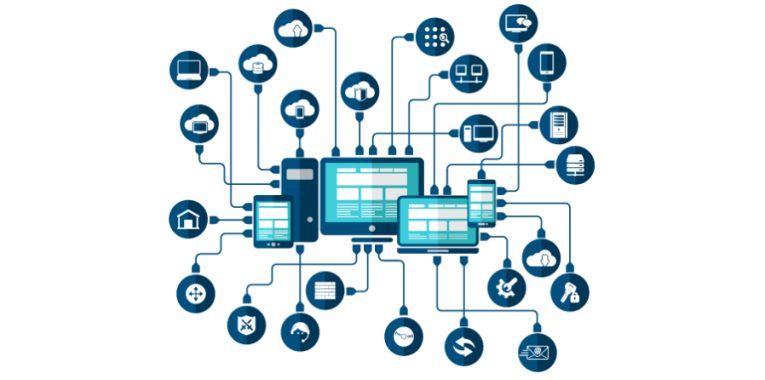
System architecture diagrams provide a high-level view of the entire system, showcasing its components, their interactions, and the flow of data between them. These diagrams help stakeholders understand the system’s overall structure and how different modules or components interact with each other. System architecture diagrams are particularly useful during the initial stages of a project to communicate the system’s design and functionality. Example: A diagram showing a web application system with user interfaces, application servers, database servers, and external services, all interconnected with lines representing data flow.

Network Architecture Diagrams
Network architecture diagrams focus on the communication and connectivity aspects of a technical system. They illustrate how different devices, such as servers, routers, switches, and clients, are interconnected within a network. These diagrams help in visualising the physical and logical layout of the network, including data flow, protocols used, and network security measures. Network architecture diagrams are crucial for understanding the network infrastructure and ensuring efficient data transfer and communication. Example: A diagram showing a corporate network with connected devices including routers, switches, servers, and user workstations, with lines representing network connections and data paths.

Data Flow Diagrams (DFD)
Data Flow Diagrams (DFDs) depict the flow of data within a system. They illustrate how data moves from one process to another, how it’s stored, and how external entities interact with the system. DFDs use various symbols to represent processes, data stores, data flow, and external entities, providing a clear and concise visualisation of data movement within the system. DFDs are beneficial for understanding data processing and transformation in complex systems. Example: A diagram showing how user input data moves through various processing stages in a system, with symbols representing processes, data stores, data flow, and external entities.

Deployment Architecture Diagrams
Deployment architecture diagrams focus on the physical deployment of software components and hardware devices across various servers and environments. These diagrams show how different modules and services are distributed across servers, whether they are on-premises or in the cloud. Deployment architecture diagrams help in understanding the system’s scalability, reliability, and fault tolerance by visualising the distribution of components and resources. Example: A diagram showing an application deployed across multiple cloud servers and on-premises servers, illustrating the physical locations of different components and services.

Component Diagrams
Component diagrams provide a detailed view of the system’s components, their relationships, and interactions. Components represent the physical or logical modules within the system, such as databases, web servers, application servers, and third-party services. These diagrams help in understanding the structure of the system, including how components collaborate to achieve specific functionalities. Component diagrams are valuable for developers and architects during the implementation phase, aiding in code organisation and module integration. Example: A diagram showing different components of an e-commerce system, such as web server, application server, payment gateway, and database, with lines indicating how they interact.

Sequence Diagrams
Sequence diagrams focus on the interactions between different components or objects within the system over a specific period. They show the sequence of messages exchanged between components, illustrating the order of execution and the flow of control. Sequence diagrams are especially useful for understanding the dynamic behaviour of the system, including how different components collaborate during specific processes or transactions. Example: A diagram showing a user placing an order in an online shopping system, illustrating the sequence of messages between the user interface, order processing component, inventory system, and payment gateway.

Other useful technical architecture diagrams include application architecture diagram, integration architecture diagram, DevOps architecture diagram, and data architecture diagram. These diagrams help in understanding the arrangement, interaction, and interdependence of all elements so that system-relevant requirements are met.

Conclusion

IT architecture serves as the backbone of modern organisations, ensuring that technology investments are strategic, efficient, and future-proof. Understanding the distinctions between Enterprise, Solution, and Technical architecture is essential for businesses to create a robust IT ecosystem that empowers innovation, drives growth, and delivers exceptional value to stakeholders. In collaborative efforts, the technical architecture diagrams serve as a common language, facilitating effective communication among team members, stakeholders, and developers. By leveraging these visual tools, IT professionals can ensure a shared understanding of the system’s complexity, enabling successful design, implementation, and maintenance of robust technical solutions.

Also read… C4 Architecture Framework

Structure Technology for Success – using SOA

How do you structure your technology department for success?

What is your definition of success?

Business success is usually measured in monetary terms – does the business make a profit, does the business grow?

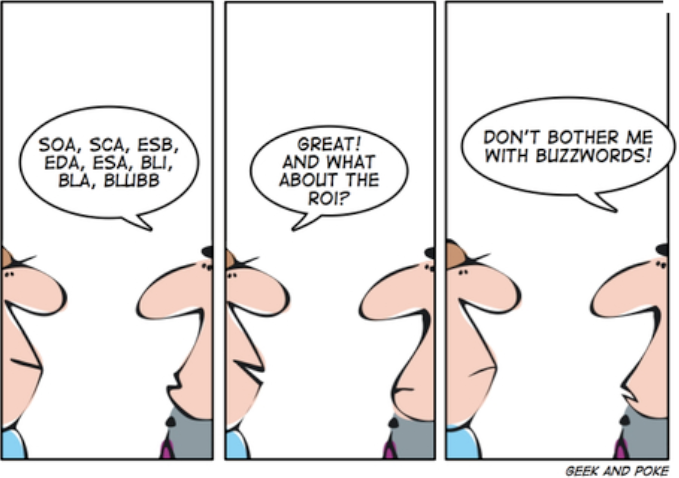
What_about_ROI

What is the value contribution on IT within the business?

Are the IT staff financially intelligent & commercially aware?

Renier spoke at Meet-Up about how you can design your IT function, using Service Orientated Architecture (SOA) to design a Service Orientated Organisation (SOO), to directly  contribute to the business success.

Slide Presentation pdf: Structure Technology for Success

Slide Share via LinkedIn: Structure technology for success

Also Read: