A Comprehensive Guide to Evaluating Software Licensing Costs for Enterprises

When it comes to evaluating software licensing costs for enterprises, understanding the various facets involved is crucial. Making an informed decision can significantly impact an organisation’s budget, operations, and overall efficiency. Here’s a detailed look at the key aspects to consider:

1. Types of Software Licences

Different types of software licences come with varying costs and terms. Understanding these types is fundamental:

  • Perpetual Licences: A one-time purchase that allows indefinite use of the software. Typically includes initial high costs but lower long-term expenses.
  • Subscription Licences: Recurring costs, usually monthly or annually, offering flexibility and access to updates and support.
  • Concurrent Use Licences: Allow a specific number of users to access the software simultaneously, beneficial for organisations with varying usage patterns.
  • Open Source Licences: Generally free but may involve costs related to implementation, customisation, and support.

2. Total Cost of Ownership (TCO)

Evaluating the total cost of ownership is essential. TCO includes:

  • Initial Purchase or Subscription Costs: The upfront fee for acquiring the software.
  • Implementation Costs: Expenses related to installing and configuring the software within the enterprise environment.
  • Training Costs: Investment in training employees to effectively use the software.
  • Maintenance and Support Costs: Ongoing costs for updates, patches, and technical support.
  • Hardware Costs: Additional hardware requirements, if any, to support the software.

3. Scalability and Flexibility

Consider how well the software scales with your business growth:

  • User Expansion Costs: Understand the cost implications of adding more users or seats.
  • Feature Expansion Costs: Evaluate the costs associated with upgrading to more advanced features or modules.
  • Integration Costs: Consider the expenses related to integrating the software with existing systems and tools.

4. Vendor Reputation and Support

The reliability and support quality of the vendor can impact the overall cost-effectiveness of the software:

  • Vendor Stability: Ensure the vendor has a solid track record and is likely to provide long-term support and updates.
  • Support Quality: High-quality, responsive support can reduce downtime and improve efficiency, indirectly saving costs.
  • Service Level Agreements (SLAs): Review SLAs for guaranteed uptime, response times, and resolution times.

5. Compliance and Legal Considerations

Licensing compliance is crucial to avoid legal issues and fines:

  • Licence Compliance: Ensure adherence to the terms of the licence to avoid penalties.
  • Audit Preparedness: Be prepared for potential audits by maintaining accurate records of licence usage.
  • Legal Protections: Understand the legal protections offered by the licence, particularly in the case of open source software.

6. Hidden Costs

Be wary of hidden costs that can inflate the overall expenditure:

  • Overage Fees: Costs incurred from exceeding the allowed usage limits.
  • Additional Modules or Features: Sometimes, essential features are offered as add-ons, leading to unexpected expenses.
  • Migration Costs: Expenses related to migrating data and processes from one software to another.

7. Return on Investment (ROI)

Calculating the ROI helps in understanding the value derived from the software relative to its cost:

  • Productivity Gains: Evaluate how the software improves efficiency and productivity.
  • Cost Savings: Identify areas where the software reduces costs, such as automating manual processes or reducing errors.
  • Business Value: Consider the strategic advantages provided by the software, such as improved decision-making and customer satisfaction.

8. Customisation and Extensibility

The ability to customise and extend the software can affect long-term costs and benefits:

  • Customisation Costs: Assess the costs involved in tailoring the software to meet specific business needs.
  • Extensibility: Evaluate the ease and cost of extending the software’s functionality through plugins, APIs, or other methods.

9. Alignment with Business Requirements

Aligning software features and functions with actual business requirements is crucial for maximising value and minimising costs:

  • Assess Business Needs: Clearly define the core functions and features required by your business. This involves understanding the specific tasks the software needs to perform and the problems it should solve.
  • Features and Functions Offered: Compare the software’s offerings with your business needs. Ensure that essential features are included and evaluate the relevance of additional features that might be offered.
  • Included vs. Extra Costs: Determine which features are included in the base licence and which ones require additional fees. Sometimes, seemingly minor features may come at a premium, impacting the overall cost.
  • Usage Patterns: Analyse the actual usage patterns within your organisation. Avoid paying for features or capacities that are unlikely to be used.
  • Customisation and Integration: Consider whether the software can be tailored to meet unique business needs without excessive costs. This might include integration with other tools or platforms used by your organisation.

Consultant’s Perspective on Tech Stack and Licensing Evaluation

As a consultant, assessing a client’s tech stack is vital for understanding their software licensing needs. Here’s a narrative based on common consulting scenarios:Understanding Business Requirements:

When evaluating a client’s tech stack, the first step is to understand their business requirements. For instance, if the client is a mid-sized retail company looking to enhance their e-commerce platform, the software needs might include robust inventory management, customer relationship management (CRM), and seamless payment gateway integrations.

Evaluating Current vs. Needed Features:

Next, we compare the features offered by potential software solutions with the client’s current needs. If the client’s existing software lacks advanced analytics capabilities, we identify solutions that offer this feature. Additionally, we assess whether these features are included in the standard licence or if they incur extra costs.

Cost-Effectiveness Analysis:

For example, a retail company might be evaluating two software solutions: Software A and Software B. Software A includes basic features required by the client but charges extra for advanced analytics and CRM modules. Software B, on the other hand, includes these features in its base subscription fee. While Software A has a lower upfront cost, Software B could be more cost-effective in the long run due to the inclusion of essential features without additional charges.

Integration with Existing Systems:

A critical aspect is ensuring the new software integrates seamlessly with the client’s existing systems. For instance, if the client uses a particular accounting software, the new solution must offer smooth integration to avoid costly custom development.

Scalability Considerations:

Scalability is crucial for growing businesses. If the client plans to expand their operations, the software must scale accordingly without exorbitant costs. We assess licensing options that allow easy addition of users and features.

Vendor Support and Reliability:

Finally, we evaluate the vendor’s reputation and support services. For a retail company, reliable support is essential to minimise downtime during peak shopping seasons. A vendor with a proven track record in the retail industry and strong SLAs is preferred.


By meticulously analysing these aspects, a consultant can help enterprises select software that aligns with their business requirements, offers the necessary features, and fits within their budget, ultimately ensuring a strategic and cost-effective investment.

Conclusion

Evaluating software licensing costs for enterprises requires a thorough analysis of various factors. By considering the type of licence, total cost of ownership, scalability, vendor reputation, compliance, hidden costs, ROI, customisation options, and alignment with business requirements, businesses can make informed decisions that align with their strategic goals and budgetary constraints. A comprehensive approach ensures that the chosen software not only meets current needs but also supports future growth and innovation.

“Revolutionising Software Development: The Era of AI Code Assistants have begun”

Reimagining software development with AI augmentation is poised to revolutionise the way we approach programming. Recent insights from Gartner disclose a burgeoning adoption of AI-enhanced coding tools amongst organisations: 18% have already embraced AI code assistants, another 25% are in the midst of doing so, 20% are exploring these tools via pilot programmes, and 14% are at the initial planning stage.

CIOs and tech leaders harbour optimistic views regarding the potential of AI code assistants to boost developer efficiency. Nearly half anticipate substantial productivity gains, whilst over a third regard AI-driven code generation as a transformative innovation.

As the deployment of AI code assistants broadens, it’s paramount for software engineering leaders to assess the return on investment (ROI) and construct a compelling business case. Traditional ROI models, often centred on cost savings, fail to fully recognise the extensive benefits of AI code assistants. Thus, it’s vital to shift the ROI dialogue from cost-cutting to value creation, thereby capturing the complete array of benefits these tools offer.

The conventional outlook on AI code assistants emphasises speedier coding, time efficiency, and reduced expenditures. However, the broader value includes enhancing the developer experience, improving customer satisfaction (CX), and boosting developer retention. This comprehensive view encapsulates the full business value of AI code assistants.

Commencing with time savings achieved through more efficient code production is a wise move. Yet, leaders should ensure these initial time-saving estimates are based on realistic assumptions, wary of overinflated vendor claims and the variable outcomes of small-scale tests.

The utility of AI code assistants relies heavily on how well the use case is represented in the training data of the AI models. Therefore, while time savings is an essential starting point, it’s merely the foundation of a broader value narrative. These tools not only minimise task-switching and help developers stay in the zone but also elevate code quality and maintainability. By aiding in unit test creation, ensuring consistent documentation, and clarifying pull requests, AI code assistants contribute to fewer bugs, reduced technical debt, and a better end-user experience.

In analysing the initial time-saving benefits, it’s essential to temper expectations and sift through the hype surrounding these tools. Despite the enthusiasm, real-world applications often reveal more modest productivity improvements. Starting with conservative estimates helps justify the investment in AI code assistants by showcasing their true potential.

Building a comprehensive value story involves acknowledging the multifaceted benefits of AI code assistants. Beyond coding speed, these tools enhance problem-solving capabilities, support continuous learning, and improve code quality. Connecting these value enablers to tangible impacts on the organisation requires a holistic analysis, including financial and non-financial returns.

In sum, the advent of AI code assistants in software development heralds a new era of efficiency and innovation. By embracing these tools, organisations can unlock a wealth of benefits, extending far beyond traditional metrics of success. The era of the AI code-assistant has begun.

A Guide How to Introduce AI Code Assistants

Integrating AI code assistants into your development teams can mark a transformative step, boosting productivity, enhancing code quality, and fostering innovation. Here’s a guide to seamlessly integrate these tools into your teams:

1. Assess the Needs and Readiness of Your Team

  • Evaluate the current workflow, challenges, and areas where your team could benefit from automation and AI assistance.
  • Determine the skill levels of your team members regarding new technologies and their openness to adopting AI tools.

2. Choose the Right AI Code Assistant

  • Research and compare different AI code assistants based on features, support for programming languages, integration capabilities, and pricing.
  • Consider starting with a pilot programme using a selected AI code assistant to gauge its effectiveness and gather feedback from your team.

3. Provide Training and Resources

  • Organise workshops or training sessions to familiarise your team with the chosen AI code assistant. This should cover basic usage, best practices, and troubleshooting.
  • Offer resources for self-learning, such as tutorials, documentation, and access to online courses.

4. Integrate AI Assistants into the Development Workflow

  • Define clear guidelines on how and when to use AI code assistants within your development process. This might involve integrating them into your IDEs (Integrated Development Environments) or code repositories.
  • Ensure the AI code assistant is accessible to all relevant team members and that it integrates smoothly with your team’s existing tools and workflows.

5. Set Realistic Expectations and Goals

  • Communicate the purpose and potential benefits of AI code assistants to your team, setting realistic expectations about what these tools can and cannot do.
  • Establish measurable goals for the integration of AI code assistants, such as reducing time spent on repetitive coding tasks or improving code quality metrics.

6. Foster a Culture of Continuous Feedback and Improvement

  • Encourage your team to share their experiences and feedback on using AI code assistants. This could be through regular meetings or a dedicated channel for discussion.
  • Use the feedback to refine your approach, address any challenges, and optimise the use of AI code assistants in your development process.

7. Monitor Performance and Adjust as Needed

  • Keep an eye on key performance indicators (KPIs) to evaluate the impact of AI code assistants on your development process, such as coding speed, bug rates, and developer satisfaction.
  • Be prepared to make adjustments based on performance data and feedback, whether that means changing how the tool is used, switching to a different AI code assistant, or updating training materials.

8. Emphasise the Importance of Human Oversight

  • While AI code assistants can significantly enhance productivity and code quality, stress the importance of human review and oversight to ensure the output meets your standards and requirements.

By thoughtfully integrating AI code assistants into your development teams, you can realise the ROI and harness the benefits of AI to streamline workflows, enhance productivity, and drive innovation.

Case Study – Renier Botha’s Game-Changing Leadership at Systems Powering Healthcare (2015-2017)

Posted on November 1, 2017

Introduction:
Back in December 2015, Renier Botha stepped in as the big boss—Managing Director and Head of Service at Systems Powering Healthcare, aka SPHERE. This place is all about delivering top-notch IT services and infrastructure to a whole lot of NHS healthcare workers—over 10,000 to be exact. Let’s dive into how Botha totally revamped SPHERE in his two year tenure, turning it into a powerhouse through his sharp strategic moves, cool innovations, and rock-solid leadership.

Facing the Music and Setting Goals:
Right off the bat, Botha was up against some big challenges. He had to shift SPHERE from an old-school cost-plus model to a snazzy commercial-service-catalogue model while also trying to attract more clients. His main to-dos were to get the company on stable footing, map out a strategic game plan, and make sure they were all about putting customers first.

Key Moves and Wins:

  1. Strategic Master Plan: Botha wasted no time. Within the first three months, he whipped up a six-year strategic plan that laid out all the key investments and milestones to get SPHERE to grow and thrive.
  2. From Startup to Star: Managing a team of 75, Botha steered SPHERE from its startup phase to become a well-known medium-sized business, hitting their three-year targets way ahead of schedule – in just two years!
  3. Tech Makeover: One of his big programmes was pouring £42M into beefing up SPHERE’s tech – think better networks, better hosting, the works. This move was all about making sure they could keep up and stay ahead in the long run.
  4. Service Delivery Shake-up: Botha brought in a new, customer-focused operating model and rolled out Service-Now to up their tech game. This not only made things run smoother but also saved a ton of money, giving them a killer return on investment.
  5. Financial Growth: Under his guidance, SPHERE’s dough rolled in 42% thicker thanks to smart mergers, acquisitions, and raking in new clients. They also managed to save the NHS about £3m a year with their shared service gig.
  6. Cost-Cutting Genius: He managed to slash the “Cost per IT User” by 24% in two years, showing just how much bang for the buck SPHERE could offer.
  7. Big Win: Thanks to a revamped service catalogue, SPHERE nailed a whopping £10m contract to provide IT services for Northumbria Healthcare NHS Foundation Trust.
  8. Happy Campers: Botha didn’t just focus on the numbers; he also built a workplace where people actually wanted to stick around. Employee retention jumped from 82% to a whopping 98% by the end of his run.

Conclusion:
Renier Botha’s time at SPHERE shows just what can happen when you mix visionary leadership with a knack for making smart moves in healthcare IT. He not only met the big challenges head-on but also made sure that SPHERE became a go-to example of how IT can seriously improve healthcare services. His story isn’t just about a job well done; it’s about setting a whole new standard in the industry.

Structure Technology for Success – using SOA

How do you structure your technology department for success?

What is your definition of success?

Business success is usually measured in monetary terms – does the business make a profit, does the business grow?

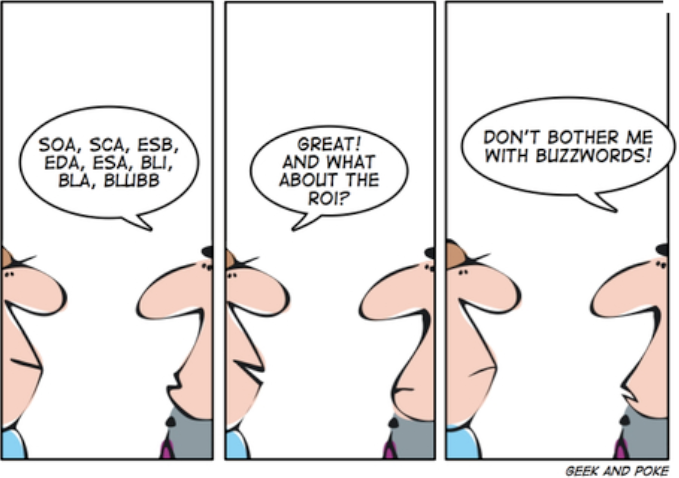
What_about_ROI

What is the value contribution on IT within the business?

Are the IT staff financially intelligent & commercially aware?

Renier spoke at Meet-Up about how you can design your IT function, using Service Orientated Architecture (SOA) to design a Service Orientated Organisation (SOO), to directly  contribute to the business success.

Slide Presentation pdf: Structure Technology for Success

Slide Share via LinkedIn: Structure technology for success

Also Read: