
DevSecOps Tool Chain: Integrating Security into the DevOps Pipeline

Introduction

In today’s rapidly evolving digital landscape, the security of applications and services is paramount. With the rise of cloud computing, microservices, and containerised architectures, the traditional boundaries between development, operations, and security have blurred. This has led to the emergence of DevSecOps, a philosophy that emphasises the need to integrate security practices into every phase of the DevOps pipeline.

Rather than treating security as an afterthought, DevSecOps promotes “security as code” to ensure vulnerabilities are addressed early in the development cycle. One of the key enablers of this philosophy is the DevSecOps tool chain. This collection of tools ensures that security is embedded seamlessly within development workflows, from coding and testing to deployment and monitoring.

What is the DevSecOps Tool Chain?

The DevSecOps tool chain is a set of tools and practices designed to automate the integration of security into the software development lifecycle (SDLC). It spans multiple phases of the DevOps process, ensuring that security is considered from the initial coding stage through to production. The goal is to streamline security checks, reduce vulnerabilities, and maintain compliance without slowing down development or deployment speeds.

The tool chain typically includes:

  • Code Analysis Tools
  • Vulnerability Scanning Tools
  • CI/CD Pipeline Tools
  • Configuration Management Tools
  • Monitoring and Incident Response Tools

Each tool in the chain performs a specific function, contributing to the overall security posture of the software.

Key Components of the DevSecOps Tool Chain

Let’s break down the essential components of the DevSecOps tool chain and their roles in maintaining security across the SDLC.

1. Source Code Management (SCM) Tools

SCM tools are the foundation of the DevSecOps pipeline, as they manage and track changes to the source code. By integrating security checks at the SCM stage, vulnerabilities can be identified early in the development process.

  • Examples: Git, GitLab, Bitbucket, GitHub
  • Security Role: SCM tools support static code analysis (SCA) plugins that automatically scan code for vulnerabilities during commits. Integrating SAST (Static Application Security Testing) tools directly into SCM platforms helps detect coding errors, misconfigurations, or malicious code at an early stage.
2. Static Application Security Testing (SAST) Tools

SAST tools analyse the source code for potential vulnerabilities, such as insecure coding practices and known vulnerabilities in dependencies. These tools ensure security flaws are caught before the code is compiled or deployed.

  • Examples: SonarQube, Veracode, Checkmarx
  • Security Role: SAST tools scan the application code to identify security vulnerabilities, such as SQL injection, cross-site scripting (XSS), and buffer overflows, which can compromise the application if not addressed.
3. Dependency Management Tools

Modern applications are built using multiple third-party libraries and dependencies. These tools scan for vulnerabilities in dependencies, ensuring that known security flaws in external libraries are mitigated.

  • Examples: Snyk, WhiteSource, OWASP Dependency-Check
  • Security Role: These tools continuously monitor open-source libraries and third-party dependencies for vulnerabilities, ensuring that outdated or insecure components are flagged and updated in the CI/CD pipeline.
4. Container Security Tools

Containers are widely used in modern microservices architectures. Ensuring the security of containers requires specific tools that can scan container images for vulnerabilities and apply best practices in container management.

  • Examples: Aqua Security, Twistlock, Clair
  • Security Role: Container security tools scan container images for vulnerabilities, such as misconfigurations or exposed secrets. They also ensure that containers follow secure runtime practices, such as restricting privileges and minimising attack surfaces.
5. Continuous Integration/Continuous Deployment (CI/CD) Tools

CI/CD tools automate the process of building, testing, and deploying applications. In a DevSecOps pipeline, these tools also integrate security checks to ensure that every deployment adheres to security policies.

  • Examples: Jenkins, CircleCI, GitLab CI, Travis CI
  • Security Role: CI/CD tools are integrated with SAST and DAST tools to automatically trigger security scans with every build or deployment. If vulnerabilities are detected, they can block deployments or notify the development team.
6. Dynamic Application Security Testing (DAST) Tools

DAST tools focus on runtime security, scanning applications in their deployed state to identify vulnerabilities that may not be evident in the source code alone.

  • Examples: OWASP ZAP, Burp Suite, AppScan
  • Security Role: DAST tools simulate attacks on the running application to detect issues like improper authentication, insecure APIs, or misconfigured web servers. These tools help detect vulnerabilities that only surface when the application is running.
7. Infrastructure as Code (IaC) Security Tools

As infrastructure management shifts towards automation and code-based deployments, ensuring the security of Infrastructure as Code (IaC) becomes critical. These tools validate that cloud resources are configured securely.

  • Examples: Terraform, Pulumi, Chef, Puppet, Ansible
  • Security Role: IaC security tools analyse infrastructure code to identify potential security misconfigurations, such as open network ports or improperly set access controls, which could lead to data breaches or unauthorised access.
8. Vulnerability Scanning Tools

Vulnerability scanning tools scan the application and infrastructure for known security flaws. These scans can be performed on code repositories, container images, and cloud environments.

  • Examples: Qualys, Nessus, OpenVAS
  • Security Role: These tools continuously monitor for known vulnerabilities across the entire environment, including applications, containers, and cloud services, providing comprehensive reports on security risks.
9. Security Information and Event Management (SIEM) Tools

SIEM tools monitor application logs and event data in real-time, helping security teams detect potential threats and respond to incidents quickly.

  • Examples: Splunk, LogRhythm, ELK Stack
  • Security Role: SIEM tools aggregate and analyse security-related data from various sources, helping identify and mitigate potential security incidents by providing centralised visibility.
10. Security Orchestration, Automation, and Response (SOAR) Tools

SOAR tools go beyond simple monitoring by automating incident response and threat mitigation. They help organisations respond quickly to security incidents by integrating security workflows and automating repetitive tasks.

  • Examples: Phantom, Demisto, IBM Resilient
  • Security Role: SOAR tools improve incident response times by automating threat detection and response processes. These tools can trigger automatic mitigation steps, such as isolating compromised systems or triggering vulnerability scans.
11. Cloud Security Posture Management (CSPM) Tools

With cloud environments being a significant part of modern infrastructures, CSPM tools ensure that cloud configurations are secure and adhere to compliance standards.

  • Examples: Prisma Cloud, Dome9, Lacework
  • Security Role: CSPM tools continuously monitor cloud environments for misconfigurations, ensuring compliance with security policies like encryption and access controls, and preventing exposure to potential threats.
The Benefits of a Robust DevSecOps Tool Chain

By integrating a comprehensive DevSecOps tool chain into your SDLC, organisations gain several key advantages:

  1. Shift-Left Security: Security is integrated early in the development process, reducing the risk of vulnerabilities making it into production.
  2. Automated Security: Automation ensures security checks happen consistently and without manual intervention, leading to faster and more reliable results.
  3. Continuous Compliance: With built-in compliance checks, the DevSecOps tool chain helps organisations adhere to industry standards and regulatory requirements.
  4. Faster Time-to-Market: Automated security processes reduce delays, allowing organisations to innovate and deliver faster without compromising on security.
  5. Reduced Costs: Catching vulnerabilities early in the development lifecycle reduces the costs associated with fixing security flaws in production.

Conclusion

The DevSecOps tool chain is essential for organisations seeking to integrate security into their DevOps practices seamlessly. By leveraging a combination of automated tools that address various aspects of security—from code analysis and vulnerability scanning to infrastructure monitoring and incident response—organisations can build and deploy secure applications at scale.

DevSecOps is not just about tools; it’s a cultural shift that ensures security is everyone’s responsibility. With the right tool chain in place, teams can ensure that security is embedded into every stage of the development lifecycle, enabling faster, safer, and more reliable software delivery.
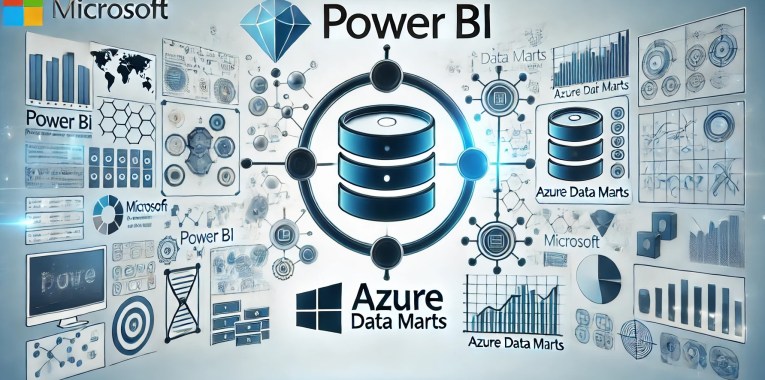
Unleashing the Power of Data Analytics: Integrating Power BI with Azure Data Marts

Leveraging the right tools can make a significant difference in how organisations harness and interpret their data. Two powerful tools that, when combined, offer unparalleled capabilities are Power BI and Azure Data Marts. In this blog post, we compare and will explore how these tools integrate seamlessly to provide robust, scalable, and high-performance data analytics solutions.

What is a Data Mart

A data mart is a subset of a data warehouse that is focused on a specific business line, team, or department. It contains a smaller, more specific set of data that addresses the particular needs and requirements of the users within that group. Here are some key features and purposes of a data mart:

  • Subject-Specific: Data marts are designed to focus on a particular subject or business area, such as sales, finance, or marketing, making the data more relevant and easier to analyse for users within that domain.
  • Simplified Data Access: By containing a smaller, more focused dataset, data marts simplify data access and querying processes, allowing users to retrieve and analyse information more efficiently.
  • Improved Performance: Because data marts deal with smaller datasets, they generally offer better performance in terms of data retrieval and processing speed compared to a full-scale data warehouse.
  • Cost-Effective: Building a data mart can be less costly and quicker than developing an enterprise-wide data warehouse, making it a practical solution for smaller organisations or departments with specific needs.
  • Flexibility: Data marts can be tailored to the specific requirements of different departments or teams, providing customised views and reports that align with their unique business processes.

There are generally two types of data marts:

  • Dependent Data Mart: These are created by drawing data from a central data warehouse. They depend on the data warehouse for their data, which ensures consistency and integration across the organisation.
  • Independent Data Mart: These are standalone systems that are created directly from operational or external data sources without relying on a central data warehouse. They are typically used for departmental or functional reporting.

In summary, data marts provide a streamlined, focused approach to data analysis by offering a subset of data relevant to specific business areas, thereby enhancing accessibility, performance, and cost-efficiency.

Understanding the Tools: Power BI and Azure Data Marts

Power BI Datamarts:
Power BI is a leading business analytics service by Microsoft that enables users to create interactive reports and dashboards. With its user-friendly interface and powerful data transformation capabilities, Power BI allows users to connect to a wide range of data sources, shape the data as needed, and share insights across their organisation. Datamarts in Power BI Premium are self-service analytics solutions that allow users to store and explore data in a fully managed database.

Azure Data Marts:
Azure Data Marts are a component of Azure Synapse Analytics, designed to handle large volumes of structured and semi-structured data. They provide high-performance data storage and processing capabilities, leveraging the power of distributed computing to ensure efficient query performance and scalability.

Microsoft Fabric:

In Sep’23, as a significant step forward for data management and analytics, Microsoft has bundled Power BI and Azure Synapse Analytics (including Azure Data Marts) as part of its Fabric SaaS suite. This comprehensive solution, known as Microsoft Fabric, represents the next evolution in data management. By integrating these powerful tools within a single suite, Microsoft Fabric provides a unified platform that enhances data connectivity, transformation, and visualisation. Users can now leverage the full capabilities of Power BI and Azure Data Marts seamlessly, driving more efficient data workflows, improved performance, and advanced analytics capabilities, all within one cohesive ecosystem. This integration is set to revolutionise how organisations handle their data, enabling deeper insights and more informed decision-making.

The Synergy: How Power BI and Azure Data Marts Work Together

Integration and Compatibility

  1. Data Connectivity:
    Power BI offers robust connectivity options that seamlessly link it with Azure Data Marts. Users can choose between Direct Query and Import modes, ensuring they can access and analyse their data in real-time or work with offline datasets for faster querying.
  2. Data Transformation:
    Using Power Query within Power BI, users can clean, transform, and shape data imported from Azure Data Warehouses or Azure Data Marts into PowerBI Data Marts. This ensures that data is ready for analysis and visualisation, enabling more accurate and meaningful insights.
  3. Visualisation and Reporting:
    With the transformed data, Power BI allows users to create rich, interactive reports and dashboards. These visualisations can then be shared across the organisation, promoting data-driven decision-making.

Workflow Integration

The integration of Power BI with Azure Data Marts follows a streamlined workflow:

  • Data Storage: Store large datasets in Azure Data Marts, leveraging its capacity to handle complex queries and significant data volumes.
  • ETL Processes: Utilise Power Query or Azure Data Factory or other ETL tools to manage data extraction, transformation, and loading into the Data Mart.
  • Connecting to Power BI: Link Power BI to Azure Data Marts using its robust connectivity options.
  • Further Data Transformation: Refine the data within Power BI using Power Query to ensure it meets the analytical needs.
  • Creating Visualisations: Develop interactive and insightful reports and dashboards in Power BI.
  • Sharing Insights: Distribute the reports and dashboards to stakeholders, fostering a culture of data-driven insights.

Benefits of the Integration

  • Scalability: Azure Data Marts provide scalable storage and processing, while Power BI scales visualisation and reporting.
  • Performance: Enhanced performance through optimised queries and real-time data access.
  • Centralised Data Management: Ensures data consistency and governance, leading to accurate and reliable reporting.
  • Advanced Analytics: Combining both tools allows for advanced analytics, including machine learning and AI, through integrated Azure services.

In-Depth Comparison: Power BI Data Mart vs Azure Data Mart

Comparing the features, scalability, and resilience of a PowerBI Data Mart and an Azure Data Mart or Warehouse reveals distinct capabilities suited to different analytical needs and scales. Here’s a detailed comparison:

Features

PowerBI Data Mart:

  • Integration: Seamlessly integrates with Power BI for reporting and visualisation.
  • Ease of Use: User-friendly interface designed for business users with minimal technical expertise.
  • Self-service: Enables self-service analytics, allowing users to create their own data models and reports.
  • Data Connectivity: Supports connections to various data sources, including cloud-based and on-premises systems.
  • Data Transformation: Built-in ETL (Extract, Transform, Load) capabilities for data preparation.
  • Real-time Data: Can handle near-real-time data through direct query mode.
  • Collaboration: Facilitates collaboration with sharing and collaboration features within Power BI.

Azure Data Warehouse (Azure Synapse Analytics / Microsoft Fabric Data Warehouse):

  • Data Integration: Deep integration with other Azure services (Azure Data Factory, Azure Machine Learning, etc.).
  • Data Scale: Capable of handling massive volumes of data with distributed computing architecture.
  • Performance: Optimised for large-scale data processing with high-performance querying.
  • Advanced Analytics: Supports advanced analytics with integration for machine learning and AI.
  • Security: Robust security features including encryption, threat detection, and advanced network security.
  • Scalability: On-demand scalability to handle varying workloads.
  • Cost Management: Pay-as-you-go pricing model, optimising costs based on usage.

Scalability

PowerBI Data Mart:

  • Scale: Generally suitable for small to medium-sized datasets.
  • Performance: Best suited for departmental or team-level reporting and analytics.
  • Limits: Limited scalability for very large datasets or complex analytical queries.

Azure Data Warehouse:

  • Scale: Designed for enterprise-scale data volumes, capable of handling petabytes of data.
  • Performance: High scalability with the ability to scale compute and storage independently.
  • Elasticity: Automatic scaling and workload management for optimised performance.

Resilience

PowerBI Data Mart:

  • Redundancy: Basic redundancy features, reliant on underlying storage and compute infrastructure.
  • Recovery: Limited disaster recovery features compared to enterprise-grade systems.
  • Fault Tolerance: Less fault-tolerant for high-availability requirements.

Azure Data Warehouse:

  • Redundancy: Built-in redundancy across multiple regions and data centres.
  • Recovery: Advanced disaster recovery capabilities, including geo-replication and automated backups.
  • Fault Tolerance: High fault tolerance with automatic failover and high availability.

Support for Schemas

Both PowerBI Data Mart and Azure Data Warehouse support the following schemas:

  • Star Schema:
    • PowerBI Data Mart: Supports star schema for simplified reporting and analysis.
    • Azure Data Warehouse: Optimised for star schema, enabling efficient querying and performance.
  • Snowflake Schema:
    • PowerBI Data Mart: Can handle snowflake schema, though complexity may impact performance.
    • Azure Data Warehouse: Well-suited for snowflake schema, with advanced query optimisation.
  • Galaxy Schema:
    • PowerBI Data Mart: Limited support, better suited for simpler schemas.
    • Azure Data Warehouse: Supports galaxy schema, suitable for complex and large-scale data models.

Summary

  • PowerBI Data Mart: Ideal for small to medium-sized businesses or enterprise departmental analytics with a focus on ease of use, self-service, and integration with Power BI.
  • Azure Data Warehouse: Best suited for large enterprises requiring scalable, resilient, and high-performance data warehousing solutions with advanced analytics capabilities.

This table provides a clear comparison of the features, scalability, resilience, and schema support between PowerBI Data Mart and Azure Data Warehouse.

Feature/AspectPowerBI Data MartAzure Data Warehouse (Azure Synapse Analytics)
IntegrationSeamless with Power BIDeep integration with Azure services
Ease of UseUser-friendly interfaceRequires technical expertise
Self-serviceEnables self-service analyticsSupports advanced analytics
Data ConnectivityVarious data sourcesWide range of data sources
Data TransformationBuilt-in ETL capabilitiesAdvanced ETL with Azure Data Factory
Real-time DataSupports near-real-time dataCapable of real-time analytics
CollaborationSharing and collaboration featuresCollaboration through Azure ecosystem
Data ScaleSmall to medium-sized datasetsEnterprise-scale, petabytes of data
PerformanceSuitable for departmental analyticsHigh-performance querying
Advanced AnalyticsBasic analyticsAdvanced analytics and AI integration
SecurityBasic security featuresRobust security with encryption and threat detection
ScalabilityLimited scalabilityOn-demand scalability
Cost ManagementIncluded in Power BI subscriptionPay-as-you-go pricing model
RedundancyBasic redundancyBuilt-in redundancy across regions
RecoveryLimited disaster recoveryAdvanced disaster recovery capabilities
Fault ToleranceLess fault-tolerantHigh fault tolerance and automatic failover
Star Schema SupportSupportedOptimised support
Snowflake Schema SupportSupportedWell-suited and optimised
Galaxy Schema SupportLimited supportSupported for complex models
Datamart: PowerBI vs Azure

Conclusion

Integrating Power BI with Azure Data Marts is a powerful strategy for any organisation looking to enhance its data analytics capabilities. Both platforms support star, snowflake, and galaxy schemas, but Azure Data Warehouse provides better performance and scalability for complex and large-scale data models. The seamless integration offers a robust, scalable, and high-performance solution, enabling users to gain deeper insights and make informed decisions.

Additionally, with Power BI and Azure Data Marts now bundled as part of Microsoft’s Fabric SaaS suite, users benefit from a unified platform that enhances data connectivity, transformation, visualisation, scalability and resilience, further revolutionising data management and analytics.

By leveraging the strengths of Microsoft’s Fabric, organisations can unlock the full potential of their data, driving innovation and success in today’s data-driven world.

Optimising Cloud Management: A Comprehensive Comparison of Bicep and Terraform for Azure Deployment

In the evolutionary landscape of cloud computing, the ability to deploy and manage infrastructure efficiently is paramount. Infrastructure as Code (IaC) has emerged as a pivotal practice, enabling developers and IT operations teams to automate the provisioning of infrastructure through code. This practice not only speeds up the deployment process but also enhances consistency, reduces the potential for human error, and facilitates scalability and compliance.

Among the tools at the forefront of this revolution are Bicep and Terraform, both of which are widely used for managing resources on Microsoft Azure, one of the leading cloud service platforms. Bicep, developed by Microsoft, is designed specifically for Azure, offering a streamlined approach to managing Azure resources. On the other hand, Terraform, developed by HashiCorp, provides a more flexible, multi-cloud solution, capable of handling infrastructure across various cloud environments including Azure, AWS, and Google Cloud.

The choice between Bicep and Terraform can significantly influence the efficiency and effectiveness of cloud infrastructure management. This article delves into a detailed comparison of these two tools, exploring their capabilities, ease of use, and best use cases to help you make an informed decision that aligns with your organisational needs and cloud strategies.

Bicep and Terraform are both popular Infrastructure as Code (IaC) tools used to manage and provision infrastructure, especially for cloud platforms like Microsoft Azure. Here’s a detailed comparison of the two, focusing on key aspects such as design philosophy, ease of use, community support, and integration capabilities:

  • Language and Syntax
    • Bicep:
      Bicep is a domain-specific language (DSL) developed by Microsoft specifically for Azure. Its syntax is cleaner and more concise compared to ARM (Azure Resource Manager) templates. Bicep is designed to be easy to learn for those familiar with ARM templates, offering a declarative syntax that directly transcompiles into ARM templates.
    • Terraform:
      Terraform uses its own configuration language called HashiCorp Configuration Language (HCL), which is also declarative. HCL is known for its human-readable syntax and is used to manage a wide variety of services beyond just Azure. Terraform’s language is more verbose compared to Bicep but is powerful in expressing complex configurations.
  • Platform Support
    • Bicep:
      Bicep is tightly integrated with Azure and is focused solely on Azure resources. This means it has excellent support for new Azure features and services as soon as they are released.
    • Terraform:
      Terraform is platform-agnostic and supports multiple providers including Azure, AWS, Google Cloud, and many others. This makes it a versatile tool if you are managing multi-cloud environments or need to handle infrastructure across different cloud platforms.
  • State Management
    • Bicep:
      Bicep relies on ARM for state management. Since ARM itself manages the state of resources, Bicep does not require a separate mechanism to keep track of resource states. This can simplify operations but might offer less control compared to Terraform.
    • Terraform:
      Terraform maintains its own state file which tracks the state of managed resources. This allows for more complex dependency tracking and precise state management but requires careful handling, especially in team environments to avoid state conflicts.
  • Tooling and Integration
    • Bicep:
      Bicep integrates seamlessly with Azure DevOps and GitHub Actions for CI/CD pipelines, leveraging native Azure tooling and extensions. It is well-supported within the Azure ecosystem, including integration with Azure Policy and other governance tools.
    • Terraform:
      Terraform also integrates well with various CI/CD tools and has robust support for modules which can be shared across teams and used to encapsulate complex setups. Terraform’s ecosystem includes Terraform Cloud and Terraform Enterprise, which provide advanced features for teamwork and governance.
  • Community and Support
    • Bicep:
      As a newer and Azure-specific tool, Bicep’s community is smaller but growing. Microsoft actively supports and updates Bicep. The community is concentrated around Azure users.
    • Terraform:
      Terraform has a large and active community with a wide range of custom providers and modules contributed by users around the world. This vast community support makes it easier to find solutions and examples for a variety of use cases.
  • Configuration as Code (CaC)
    • Bicep and Terraform:
      Both tools support Configuration as Code (CaC) principles, allowing not only the provisioning of infrastructure but also the configuration of services and environments. They enable codifying setups in a manner that is reproducible and auditable.

This table outlines key differences between Bicep and Terraform (outlined above), helping you to determine which tool might best fit your specific needs, especially in relation to deploying and managing resources in Microsoft Azure for Infrastructure as Code (IaC) and Configuration as Code (CaC) development.

FeatureBicepTerraform
Language & SyntaxSimple, concise DSL designed for Azure.HashiCorp Configuration Language (HCL), versatile and expressive.
Platform SupportAzure-specific with excellent support for Azure features.Multi-cloud support, including Azure, AWS, Google Cloud, etc.
State ManagementUses Azure Resource Manager; no separate state management needed.Manages its own state file, allowing for complex configurations and dependency tracking.
Tooling & IntegrationDeep integration with Azure services and CI/CD tools like Azure DevOps.Robust support for various CI/CD tools, includes Terraform Cloud for advanced team functionalities.
Community & SupportSmaller, Azure-focused community. Strong support from Microsoft.Large, active community. Extensive range of modules and providers available.
Use CaseIdeal for exclusive Azure environments.Suitable for complex, multi-cloud environments.

Conclusion

Bicep might be more suitable if your work is focused entirely on Azure due to its simplicity and deep integration with Azure services. Terraform, on the other hand, would be ideal for environments where multi-cloud support is required, or where more granular control over infrastructure management and versioning is necessary. Each tool has its strengths, and the choice often depends on specific project requirements and the broader technology ecosystem in which your infrastructure operates.