Beyond the Medallion: Cost-Saving Alternatives for Microsoft Fabric Data Estates

The Medallion Architecture (Bronze → Silver → Gold) has become the industry’s default standard for building scalable data estates—especially in Microsoft Fabric. It’s elegant, modular, easy to explain to business users, and aligns well with modern ELT workflows.

The Medallion Architecture remains one of the most effective and scalable patterns for modern data engineering because it introduces structured refinement, clarity, and governance into a data estate. By organising data into Bronze, Silver, and Gold layers, it provides a clean separation of concerns: raw ingestion is preserved for auditability, cleaned and conformed data is standardised for consistency, and curated business-ready data is optimised for analytics. This layered approach reduces complexity, improves data quality, and makes pipelines easier to maintain and troubleshoot. It also supports incremental processing, promotes reusability of transformation logic, and enables teams to onboard new data sources without disrupting downstream consumers. For growing organisations, the Medallion Architecture offers a well-governed, scalable foundation that aligns with both modern ELT practices and enterprise data management principles

But as many companies have discovered, a full 3-layer medallion setup can come with unexpected operational costs:

  • Too many transformation layers
  • Heavy Delta Lake I/O
  • High daily compute usage
  • BI refreshes duplicating transformations
  • Redundant data copies
  • Long nightly pipeline runtimes

The result?
Projects start simple but the estate grows heavy, slow, and expensive.

The good news: A medallion architecture is not the only option. There are several real-world alternatives (and hybrids) that can reduce hosting costs by 40-80% and cut daily processing times dramatically.

This blog explores those alternatives—with in-depth explanation and real examples from real implementations.


Why Medallion Architectures Become Expensive

The medallion pattern emerged from Databricks. But in Fabric, some teams adopt it uncritically—even when the source data doesn’t need three layers.

Consider a common case:

A retail company stores 15 ERP tables. Every night they copy all 15 tables into Bronze, clean them into Silver, and join them into 25 Gold tables.

Even though only 3 tables change daily, the pipelines for all 15 run every day because “that’s what the architecture says.”

This is where costs balloon:

  • Storage multiplied by 3 layers
  • Pipelines running unnecessarily
  • Long-running joins across multiple layers
  • Business rules repeating in Gold tables

If this sounds familiar… you’re not alone.


1. The “Mini-Medallion”: When 2 Layers Are Enough

Not all data requires Bronze → Silver → Gold.

Sometimes two layers give you 90% of the value at 50% of the cost.

The 2-Layer Variant

  1. Raw (Bronze):
    Store the original data as-is.
  2. Optimised (Silver/Gold combined):
    Clean + apply business rules + structure the data for consumption.

Real Example

A financial services client was running:

  • 120 Bronze tables
  • 140 Silver tables
  • 95 Gold tables

Their ERP was clean. The Silver layer added almost no value—just a few renames and type conversions. We replaced Silver and Gold with one Optimised layer.

Impact:

  • Tables reduced from 355 to 220
  • Daily pipeline runtime cut from 9.5 hours to 3.2 hours
  • Fabric compute costs reduced by ~48%

This is why a 2-layer structure is often enough for modern systems like SAP, Dynamics 365, NetSuite, and Salesforce.


2. Direct Lake: The Biggest Cost Saver in Fabric

Direct Lake is one of Fabric’s superpowers.

It allows Power BI to read delta tables directly from the lake, without Import mode and without a Gold star-schema layer.

You bypass:

  • Power BI refresh compute
  • Gold table transformations
  • Storage duplication

Real Example

A manufacturer had 220 Gold tables feeding Power BI dashboards. After migrating 18 of their largest models to Direct Lake:

Results:

  • Removed the entire Gold layer for those models
  • Saved ±70% on compute
  • Dropped Power BI refreshes from 30 minutes to seconds
  • End-users saw faster dashboards without imports

If your business intelligence relies heavily on Fabric + Power BI, Direct Lake is one of the biggest levers available.


3. ELT-on-Demand: Only Process What Changed

Most pipelines run on a schedule because that’s what engineers are used to. But a large portion of enterprise data does not need daily refresh.

Better alternatives:

  • Change Data Feed (CDF)
  • Incremental watermarking
  • Event-driven processing
  • Partition-level processing

Real Example

A logistics company moved from full daily reloads to watermark-based incremental processing.

Before:

  • 85 tables refreshed daily
  • 900GB/day scanned

After:

  • Only 14 tables refreshed
  • 70GB/day scanned
  • Pipelines dropped from 4 hours to 18 minutes
  • Compute cost fell by ~82%

Incremental processing almost always pays for itself in the first week.


4. OneBigTable: When a Wide Serving Table Is Cheaper

Sometimes the business only needs one big denormalised table for reporting. Instead of multiple Gold dimension + fact tables, you build a single optimised serving table.

This can feel “anti-architecture,” but it works.

Real Example

A telco was loading:

  • 12 fact tables
  • 27 dimensions
  • Dozens of joins running nightly

Reporting only used a handful of those dimensions.

We built a single OneBigTable designed for Power BI.

Outcome:

  • Gold tables reduced by 80%
  • Daily compute reduced by 60%
  • Power BI performance improved due to fewer joins
  • Pipeline failures dropped significantly

Sometimes simple is cheaper and faster.


5. Domain-Based Lakehouses (Micro-Lakehouses)

Rather than one giant medallion, split your estate based on business domains:

  • Sales Lakehouse
  • Product Lakehouse
  • HR Lakehouse
  • Logistics Lakehouse

Each domain has:

  • Its own small Bronze/Silver/Gold
  • Pipelines that run only when that domain changes

Real Example

A retail group broke their 400-table estate into 7 domains. The nightly batch that previously ran for 6+ hours now runs:

  • Sales domain: 45 minutes
  • HR domain: 6 minutes
  • Finance domain: 1 hour
  • Others run only when data changes

Fabric compute dropped by 37% with no loss of functionality.


6. Data Vault 2.0: The Low-Cost Architecture for High-Volume History

If you have:

  • Millions of daily transactions
  • High historisation requirements
  • Many sources merging in a single domain

Data Vault often outperforms Medallion.

Why?

  • Hubs/Links/Satellites only update what changed
  • Perfect for incremental loads
  • Excellent auditability
  • Great for multi-source integration

Real Example

A health insurance provider stored billions of claims. Their medallion architecture was running 12–16 hours of pipelines daily.

Switching to Data Vault:

  • Stored only changed records
  • Reduced pipeline time to 45 minutes
  • Achieved 90% cost reduction

If you have high-cardinality or fast-growing data, Data Vault is often the better long-term choice.


7. KQL Databases: When Fabric SQL Is Expensive or Overkill

For logs, telemetry, IoT, or operational metrics, Fabric KQL DBs (Kusto) are:

  • Faster
  • Cheaper
  • Purpose-built for time-series
  • Zero-worry for scaling

Real Example

A mining client stored sensor data in Bronze/Silver. Delta Lake struggled with millions of small files from IoT devices.

Switching to KQL:

  • Pipeline cost dropped ~65%
  • Query time dropped from 20 seconds to < 1 second
  • Storage compressed more efficiently

Use the right store for the right job.


Putting It All Together: A Modern, Cost-Optimised Fabric Architecture

Here’s a highly efficient pattern we now recommend to most clients:

The Hybrid Optimised Model

  1. Bronze: Raw Delta, incremental only
  2. Silver: Only where cleaning is required
  3. Gold: Only for true business logic (not everything)
  4. Direct Lake → Power BI (kills most Gold tables)
  5. Domain Lakehouses
  6. KQL for logs
  7. Data Vault for complex historisation

This is a far more pragmatic and cost-sensitive approach that meets the needs of modern analytics teams without following architecture dogma.


Final Thoughts

A Medallion Architecture is a great starting point—but not always the best endpoint.

As data volumes grow and budgets tighten, organisations need architectures that scale economically. The real-world examples above show how companies are modernising their estates with:

  • Fewer layers
  • Incremental processing
  • Domain-based designs
  • Direct Lake adoption
  • The right storage engines for the right data

If you’re building or maintaining a Microsoft Fabric environment, it’s worth stepping back and challenging old assumptions.

Sometimes the best architecture is the one that costs less, runs faster, and your team can actually maintain.


The EU’s New AI Act: What It Means for the Future of Artificial Intelligence

You’ve probably noticed how fast AI tools are changing the way we work, create, and communicate. From chatbots and image generators to smart assistants, artificial intelligence has become part of our everyday lives. But as exciting as this innovation is, it also comes with serious questions — about ethics, safety, and trust.

That’s exactly why the European Union (EU) stepped in. In 2024, they passed a groundbreaking piece of legislation called the AI Act — the world’s first comprehensive law regulating artificial intelligence. Even if you’re not in Europe, this new law will likely influence the AI tools and services we all use.

Why a Law for AI?

The EU’s AI Act is built around three key principles: safety, transparency, and trust.
The goal isn’t to stop AI innovation — it’s to make sure AI benefits people without putting them at risk. The law sets out clear rules for how AI should be developed, deployed, and used responsibly.

Here’s what it means in practice:


1. AI Must Introduce Itself

If you’re chatting with an AI bot — whether in customer service, social media, or online shopping — the law says you have the right to know you’re talking to a machine.
No pretending to be human.
This transparency builds trust and helps users make informed choices. So, expect to see messages like: “Hi, I’m an AI assistant!” when engaging with automated systems in the future.


2. Labels on AI-Generated Content

The AI Act requires that AI-generated images, videos, or audio that could be mistaken for something real must be clearly labeled.
That means an AI-created video of a politician, celebrity, or event should come with a watermark or disclaimer stating it was produced by AI.

This is a huge step in fighting deepfakes and misinformation, helping people separate fact from fiction in the digital world.


3. Banning Dangerous AI Uses

The Act takes a firm stance on certain uses of AI that are considered too harmful or manipulative.
Among the banned practices are:

  • Social scoring systems that rank people’s trustworthiness or behavior (similar to China’s social credit model).
  • AI systems that exploit people’s vulnerabilities, such as toys using AI to pressure or manipulate children.

These bans reflect a strong ethical commitment — protecting citizens from technologies that could invade privacy or cause psychological harm.


4. Strict Rules for “High-Risk” AI

Not all AI is treated equally under the new law. Some systems have far greater potential impact on people’s lives — for instance:

  • AI used in hiring or recruitment (like automated CV screening)
  • AI in credit scoring or banking decisions
  • AI used in medical diagnostics or education

These are classified as “high-risk AI systems.”
Developers of such systems will now need to meet strict requirements for accuracy, fairness, data quality, human oversight, and transparency.

People affected by these systems must also have access to explanations and appeal mechanisms, ensuring human accountability remains at the center of decision-making.


5. Encouraging Innovation, Not Stifling It

While the AI Act is firm on safety, it also supports responsible innovation. The EU is setting up AI “sandboxes” — controlled environments where startups and researchers can test new AI systems under regulatory supervision.

This approach helps balance innovation and regulation, ensuring Europe remains competitive while maintaining high ethical standards.


A Global Ripple Effect

The AI Act is more than just a European law — it’s setting a global benchmark.
Much like how the EU’s GDPR privacy law influenced data protection standards worldwide, the AI Act is expected to shape how companies and governments across the globe approach AI governance.

If you use AI-powered tools, even outside Europe, the companies behind them will likely adopt these standards globally to stay compliant.


A Step Toward Responsible AI

I find it encouraging to see governments finally tackling the ethical and social implications of AI. Regulation like this doesn’t mean slowing progress — it means guiding it responsibly.

As we continue to explore and create with AI, frameworks like the EU AI Act help ensure these technologies remain beneficial, transparent, and fair. It’s a big change — but a positive one for the future of tech and humanity alike.


In short:
The EU AI Act is the world’s first serious attempt to make AI safe, transparent, and human-centered. It reminds us that innovation works best when it’s built on trust.


Would you like me to make this version more SEO-optimized (with headings, keywords, and meta description) so it performs better as a published blog post?

Attracting and Retaining Top Tech Talent

Day 10 of Renier Botha’s 10-Day Blog Series on Navigating the Future: The Evolving Role of the CTO

Attracting and retaining top tech talent is crucial for any organization’s success and in a rapid evolveing technology landscape, this continuous to be a ongoing concern. The competition for skilled professionals is fierce, and companies must implement strategic measures to build and maintain a strong, innovative team. This blog post provides advice and actionable insights for Chief Technology Officers (CTOs) on talent acquisition, development, and retention, featuring quotes from industry leaders and real-world examples.

The Importance of Attracting and Retaining Tech Talent

Top tech talent drives innovation, enhances productivity, and helps organizations stay competitive. However, the demand for skilled professionals often outstrips supply, making it challenging to attract and retain the best candidates.

Quote: “Attracting and retaining top talent is one of the most important tasks for any leader. The team you build is the company you build.” – Marc Benioff, CEO of Salesforce

Strategies for Attracting Top Tech Talent

1. Build a Strong Employer Brand

A strong employer brand attracts top talent by showcasing the company’s values, culture, and opportunities for growth. Highlight what makes your organization unique and why it is an excellent place for tech professionals to work.

Example: Google is renowned for its strong employer brand. The company’s innovative culture, commitment to employee well-being, and opportunities for career development make it a top choice for tech talent.

Actionable Advice for CTOs:

  • Promote Company Culture: Use social media, blogs, and employee testimonials to showcase your company’s culture and values.
  • Highlight Career Development: Emphasize opportunities for career growth, professional development, and continuous learning.
  • Engage with the Tech Community: Participate in industry events, hackathons, and conferences to build your brand and connect with potential candidates.

2. Offer Competitive Compensation and Benefits

Competitive compensation and benefits packages are essential for attracting top talent. In addition to salary, consider offering bonuses, stock options, flexible work arrangements, and comprehensive benefits.

Example: Netflix offers competitive salaries, unlimited vacation days, and flexible work hours. These benefits make the company an attractive employer for tech professionals.

Actionable Advice for CTOs:

  • Conduct Market Research: Regularly benchmark your compensation and benefits packages against industry standards.
  • Offer Flexibility: Provide options for remote work, flexible hours, and work-life balance initiatives.
  • Tailor Benefits: Customize benefits packages to meet the needs and preferences of your tech employees.

3. Foster an Inclusive and Diverse Workplace

Diversity and inclusion are critical for fostering innovation and attracting a broader pool of talent. Create a workplace environment where all employees feel valued, respected, and supported.

Example: Microsoft has made significant strides in promoting diversity and inclusion. The company’s initiatives include diversity hiring programs, employee resource groups, and unconscious bias training.

Actionable Advice for CTOs:

  • Implement Inclusive Hiring Practices: Use diverse hiring panels, blind resume reviews, and inclusive job descriptions to attract diverse candidates.
  • Support Employee Resource Groups: Encourage the formation of employee resource groups to support underrepresented communities.
  • Provide Training: Offer training on diversity, equity, and inclusion to all employees and leaders.

4. Leverage Technology in Recruitment

Utilize technology to streamline recruitment processes and reach a wider audience. Applicant tracking systems (ATS), AI-powered recruiting tools, and social media platforms can help identify and engage with top talent.

Example: LinkedIn uses AI and data analytics to match candidates with job opportunities, helping companies find the best talent efficiently.

Actionable Advice for CTOs:

  • Invest in Recruitment Technology: Implement ATS and AI-powered tools to automate and enhance recruitment processes.
  • Optimize Social Media: Use platforms like LinkedIn, GitHub, and Stack Overflow to connect with potential candidates.
  • Analyze Recruitment Data: Use data analytics to track recruitment metrics and identify areas for improvement.

Strategies for Developing and Retaining Top Tech Talent

1. Provide Continuous Learning and Development

Investing in continuous learning and development keeps employees engaged and up-to-date with the latest technologies and industry trends. Offer training programs, workshops, and opportunities for professional growth.

Example: IBM’s “Think Academy” provides employees with access to a wide range of online courses, certifications, and learning resources, ensuring they stay current with industry advancements.

Actionable Advice for CTOs:

  • Create Learning Paths: Develop personalized learning paths for employees based on their roles and career goals.
  • Offer Diverse Training Options: Provide access to online courses, certifications, conferences, and in-house training programs.
  • Encourage Knowledge Sharing: Foster a culture of knowledge sharing through mentorship programs, lunch-and-learn sessions, and internal tech talks.

2. Foster a Collaborative and Innovative Culture

Create an environment that encourages collaboration, creativity, and innovation. Empower employees to experiment, take risks, and contribute to meaningful projects.

Example: Atlassian promotes a culture of innovation through its “ShipIt Days,” where employees have 24 hours to work on any project they choose. This initiative fosters creativity and drives new ideas.

Actionable Advice for CTOs:

  • Encourage Cross-Functional Teams: Form cross-functional teams to work on projects, promoting diverse perspectives and collaboration.
  • Support Innovation: Allocate time and resources for employees to work on innovative projects and ideas.
  • Recognize Contributions: Acknowledge and reward employees’ contributions to innovation and collaboration.

3. Implement Career Development Programs

Provide clear career development pathways and opportunities for advancement. Regularly discuss career goals with employees and help them achieve their aspirations within the organization.

Example: Salesforce offers a robust career development program, including leadership training, mentorship opportunities, and personalized career planning.

Actionable Advice for CTOs:

  • Conduct Regular Career Discussions: Schedule regular one-on-one meetings to discuss employees’ career goals and development plans.
  • Offer Mentorship Programs: Pair employees with mentors to guide their career growth and provide valuable insights.
  • Promote Internal Mobility: Encourage employees to explore different roles and departments within the organization.

4. Prioritize Employee Well-being

Support employee well-being by offering programs and resources that address physical, mental, and emotional health. A healthy and happy workforce is more productive and engaged.

Example: Adobe prioritizes employee well-being through its “Life@Adobe” program, which includes wellness initiatives, mental health resources, and flexible work options.

Actionable Advice for CTOs:

  • Offer Wellness Programs: Provide access to wellness programs, fitness classes, and mental health resources.
  • Encourage Work-Life Balance: Promote work-life balance through flexible work arrangements and time-off policies.
  • Create a Supportive Environment: Foster a supportive work environment where employees feel comfortable discussing their well-being needs.

Real-World Examples of Successful Talent Strategies

Example 1: Google

Google’s commitment to creating a positive work environment has made it a magnet for top tech talent. The company’s innovative culture, competitive compensation, and focus on employee well-being have resulted in high employee satisfaction and retention rates.

Example 2: Amazon

Amazon invests heavily in employee development through its “Career Choice” program, which pre-pays 95% of tuition for courses in in-demand fields. This investment in continuous learning helps retain top talent and ensures employees’ skills stay relevant.

Example 3: LinkedIn

LinkedIn promotes a collaborative and inclusive culture through its “InDay” program, where employees can work on projects outside their regular responsibilities. This initiative fosters creativity and allows employees to pursue their passions, contributing to high engagement and retention.

Conclusion

Attracting and retaining top tech talent is critical for driving innovation and maintaining a competitive edge. By building a strong employer brand, offering competitive compensation and benefits, fostering an inclusive and collaborative culture, leveraging technology in recruitment, and prioritizing employee development and well-being, organizations can build a strong, innovative team.

For CTOs, the journey to attracting and retaining top tech talent involves strategic planning, continuous investment in people, and a commitment to creating a supportive and dynamic work environment. Real-world examples from leading companies like Google, Amazon, and LinkedIn demonstrate the effectiveness of these strategies.

Read more blog post on People here : https://renierbotha.com/tag/people/

Stay tuned as we continue to explore critical topics in our 10-day blog series, “Navigating the Future: A 10-Day Blog Series on the Evolving Role of the CTO” by Renier Botha. Visit www.renierbotha.com for more insights and expert advice.

Understanding the Difference: Semantic Models vs. Data Marts in Microsoft Fabric

In the ever-evolving landscape of data management and business intelligence, understanding the tools and concepts at your disposal is crucial. Among these tools, the terms “semantic model” and “data mart” often surface, particularly in the context of Microsoft Fabric. While they might seem similar at a glance, they serve distinct purposes and operate at different layers within a data ecosystem. Let’s delve into these concepts to understand their roles, differences, and how they can be leveraged effectively.

What is a Semantic Model in Microsoft Fabric?

A semantic model is designed to provide a user-friendly, abstracted view of complex data, making it easier for users to interpret and analyze information without needing to dive deep into the underlying data structures. In the realm of Microsoft Fabric, semantic models play a critical role within business intelligence (BI) tools like Power BI.

Key Features of Semantic Models:

  • Purpose: Simplifies complex data, offering an understandable and meaningful representation.
  • Usage: Utilized within BI tools for creating reports and dashboards, enabling analysts and business users to work efficiently.
  • Components: Comprises metadata, relationships between tables, measures (calculated fields), and business logic.
  • Examples: Power BI data models, Analysis Services tabular models.

What is a Data Mart?

On the other hand, a data mart is a subset of a data warehouse, focused on a specific business area or department, such as sales, finance, or marketing. It is tailored to meet the particular needs of a specific group of users, providing a performance-optimized environment for querying and reporting.

Key Features of Data Marts:

  • Purpose: Serves as a focused, subject-specific subset of a data warehouse.
  • Usage: Provides a tailored dataset for analysis and reporting in a specific business domain.
  • Components: Includes cleaned, integrated, and structured data relevant to the business area.
  • Examples: Sales data mart, finance data mart, customer data mart.

Semantic Model vs. Data Mart: Key Differences

Here is a table outlining the key differences between a Semantic Model and a Data Mart:

AspectSemantic ModelData Mart
ScopeEncompasses a broader scope within a BI tool, facilitating report and visualization creation across various data sources.Targets a specific subject area, offering a specialized dataset optimized for that domain.
Abstraction vs. StorageActs as an abstraction layer, providing a simplified view of the data.Physically stores data in a structured manner tailored to a particular business function.
UsersPrimarily used by business analysts, data analysts, and report creators within BI tools.Utilized by business users and decision-makers needing specific data for their department.
ImplementationImplemented within BI tools like Power BI, often utilizing DAX (Data Analysis Expressions) to define measures and relationships.Implemented within database systems, using ETL (Extract, Transform, Load) processes to load and structure data.

Semantic Model vs. Data Mart: Key Differences

This table highlights the unique benefits the benefits that a Semantic Models and Data Marts offers, helping organisations choose the right tool for their specific needs.

AspectBenefits of Semantic ModelBenefits of Data Mart
User-FriendlinessProvides a user-friendly view of data, making it easier for non-technical users to create reports and visualizations.Offers a specialized and simplified dataset tailored to the specific needs of a business area.
EfficiencyReduces the complexity of data for report creation and analysis, speeding up the process for end-users.Enhances query performance by providing a focused, optimized dataset for a specific function or department.
ConsistencyEnsures consistency in reporting by centralizing business logic and calculations within the model.Ensures data relevancy and accuracy for a specific business area, reducing data redundancy.
IntegrationAllows integration of data from multiple sources into a unified model, facilitating comprehensive analysis.Can be quickly developed and deployed for specific departmental needs without impacting the entire data warehouse.
FlexibilitySupports dynamic and complex calculations and measures using DAX, adapting to various analytical needs.Provides flexibility in data management for individual departments, allowing them to focus on their specific metrics.
CollaborationEnhances collaboration among users by providing a shared understanding and view of the data.Facilitates departmental decision-making by providing easy access to relevant data.
MaintenanceSimplifies maintenance as updates to business logic are centralized within the semantic model.Reduces the workload on the central data warehouse by offloading specific queries and reporting to data marts.
ScalabilityScales easily within BI tools to accommodate growing data and more complex analytical requirements.Can be scaled horizontally by creating multiple data marts for different business areas as needed.

Conclusion

While semantic models and data marts are both integral to effective data analysis and reporting, they serve distinct purposes within an organization’s data architecture. A semantic model simplifies and abstracts complex data for BI tools, whereas a data mart structures and stores data for specific business needs. Understanding these differences allows businesses to leverage each tool appropriately, enhancing their data management and decision-making processes.

By comprehensively understanding and utilizing semantic models and data marts within Microsoft Fabric, organizations can unlock the full potential of their data, driving insightful decisions and strategic growth.

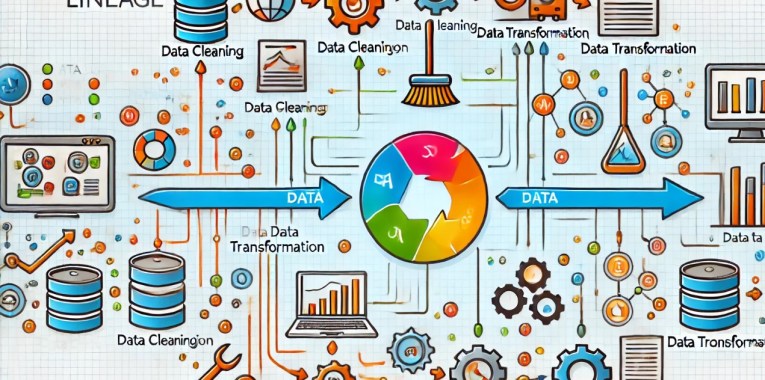
Data Lineage

What is Data Lineage

Data lineage refers to the lifecycle of data as it travels through various processes in an information system. It is a comprehensive account or visualisation of where data originates, where it moves, and how it changes throughout its journey within an organisation. Essentially, data lineage provides a clear map or trace of the data’s journey from its source to its destination, including all the transformations it undergoes along the way.

Here are some key aspects of data lineage:

  • Source of Data: Data lineage begins by identifying the source of the data, whether it’s from internal databases, external data sources, or real-time data streams.
  • Data Transformations: It records each process or transformation the data undergoes, such as data cleansing, aggregation, and merging. This helps in understanding how the data is manipulated and refined.
  • Data Movement: The path that data takes through different systems and processes is meticulously traced. This includes its movement across databases, servers, and applications within an organisation.
  • Final Destination: Data lineage includes tracking the data to its final destination, which might be a data warehouse, report, or any other endpoint where the data is stored or utilised.

Importance of Data Lineage

Data lineage is crucial for several reasons:

  • Transparency and Trust: It helps build confidence in data quality and accuracy by providing transparency on how data is handled and transformed.
  • Compliance and Auditing: Many industries are subject to stringent regulatory requirements concerning data handling, privacy, and reporting. Data lineage allows for compliance tracking and simplifies the auditing process by providing a clear trace of data handling practices.
  • Error Tracking and Correction: By understanding how data flows through systems, it becomes easier to identify the source of errors or discrepancies and correct them, thereby improving overall data quality.
  • Impact Analysis: Data lineage is essential for impact analysis, enabling organisations to assess the potential effects of changes in data sources or processing algorithms on downstream systems and processes.
  • Data Governance: Effective data governance relies on clear data lineage to enforce policies and rules regarding data access, usage, and security.

Tooling

Data lineage tools are essential for tracking the flow of data through various systems and transformations, providing transparency and facilitating better data management practices. Here’s a list of popular technology tools that can be used for data lineage:

  • Informatica: A leader in data integration, Informatica offers powerful tools for managing data lineage, particularly with its Enterprise Data Catalogue, which helps organisations to discover and inventory data assets across the system.
  • IBM InfoSphere Information Governance Catalogue: IBM’s solution provides extensive features for data governance, including data lineage. It helps users understand data origin, usage, and transformation within their enterprise environments.
  • Talend: Talend’s Data Fabric includes data lineage capabilities that help map and visualise the flow of data through different systems, helping with compliance, data governance, and data quality management.
  • Collibra: Collibra is known for its data governance and catalogue software that supports data lineage visualisation to manage compliance, data quality, and data usage across the organisation.
  • Apache Atlas: Part of the Hadoop ecosystem, Apache Atlas provides open-source tools for metadata management and data governance, including data lineage for complex data environments.
  • Alation: Alation offers a data catalogue tool that includes data lineage features, providing insights into data origin, context, and usage, which is beneficial for data governance and compliance.
  • MANTA: MANTA focuses specifically on data lineage and provides visualisation tools that help organisations map out and understand their data flows and transformations.
  • erwin Data Intelligence: erwin provides robust data modelling and metadata management solutions, including data lineage tools to help organisations understand the flow of data within their IT ecosystems.
  • Microsoft Purview: This is a unified data governance service that helps manage and govern on-premises, multi-cloud, and software-as-a-service (SaaS) data. It includes automated data discovery, sensitivity classification, access controls and end-to-end data lineage.
  • Google Cloud Data Catalogue: A fully managed and scalable metadata management service that allows organisations to quickly discover, manage, and understand their Google Cloud data assets. It includes data lineage capabilities to visualise relationships and data flows.

These tools cater to a variety of needs, from large enterprises to more specific requirements like compliance and data quality management. They can help organisations ensure that their data handling practices are transparent, efficient, and compliant with relevant regulations.

In summary, data lineage acts as a critical component of data management and governance frameworks, providing a clear and accountable method of tracking data from its origin through all its transformations and uses. This tracking is indispensable for maintaining the integrity, reliability, and trustworthiness of data in complex information systems.

lovingmydesk.com

Hiya!

We are delighted to share our passion for travel and photography with you in a way that can make your day brighter and cheer those around you.

Grab some cool photos from our site, upload them into your video conferencing tool as virtual backgrounds and change them as often as every virtual meeting or even mid-meeting if the mood takes you.

Share the cheer, be inspirational, make them laugh and open the meeting with some all important personal chat, LovingMyDesk.com is the perfect video conference ice breaker and its free!

We have built this site to share the love, as an initial concept first so please click away download photos and use them on your computer, tablet or phone. If we see enough people having fun we may take it to the next stage, until then let us know what improvements you would like to see.

All we ask is you enjoy, share the goodness and perhaps leave us the odd comment if you like this idea whether we should take our super lean, hacked together start-up concept to the next stage?

So tell us what you think, like and share with others who might need a smile too.

Cheers

Renier and Stuart

#FreePictures #VirtualBackground #VideoConference

Fundraisers tackle Route 66 – without even leaving home

Renier Botha joined the Shawbrook Bank staff who have ‘virtually’ tackled one of the most iconic road networks in the world to raise vital funds for frontline workers in the NHS.

The 14-strong group of colleagues decided to embrace lockdown boredom head-on by sign- ing up for the online ‘Route 66 Virtual fitness challenge.’

Hosted by the Conqueror web- site, the challenge saw partici- pants complete the 2,280-mile route online by recording the completion of physical walking, jogging and running exercises at home.

Travelling virtually from Chi- cago to Los angeles, the group gave themselves a three-month target to complete the entire length of the Route 66 highway.

However, they smashed that tar- get in impressive style, completing the gruelling trek in less than a month – and raising £2,940 for the NHS at the same time.

Gareth McHenry – who launched the charity effort before roping in his colleagues – said the idea initially came about to relieve the boredom of lockdown.

Gareth, head of delivery and innovation at Shawbrook Bank, said: “Lockdown has taken its toll on lots of people across the UK – not just within Shawbrook.

“So we decided as a group to have a think of activities that we could do online that would help alleviate the boredom and the monotony of lockdown and at the same time help us stay fit both mentally and physically.

“Route 66 is one of the most iconic – if not thee most iconic – highway in the world and so we felt this would be a great project to start off with. We decided to go for it, and to try and raise some funds for our NHS frontline heroes at the same time and it just grew arms and legs from there.

“We have a group Slack channel that we use to communicate and from within that we just egged each other on. We initially gave ourselves a three-month target to complete all 2,280 miles but we absolutely smashed that within a month – raising almost £3,000 in the process.

“all in all, it’s been a very worth- while exercise and we’re all delighted with it.”

The Conqueror website describes the virtual Route 66 trek as the “ultimate running, cycling and walking challenge’”

But after just six days the team from Shawbrook had managed to cover more than 400 miles.

Gareth added: “this gave the team a little bit of focus out with work and helped us re-create a bit of workplace atmosphere at the same time. after enjoying it so much we’re now trying to plan our next challenge.”

The successful team from Shawbrook Bank included Gareth McHenry, alex Richardson, Chris Kerr, Edward Grainge, Giselle Kelly, James Popham, John Culli- nane, Jonathan Hotchkiss, Nigel Cooper, Patrick Coughlan, Renier Botha, Stephen Birrell, Brendan Ellis and John Kelly.

Read article Shawbrook-Route 66 Surrey Mirror

The Route 66 Virtual Challenge is hosts by “the conqueror”

Raspberry Pi – Tips & Notes

OS Install

NOOBS – New Out Of the Box Software

https://www.raspberrypi.org/downloads/noobs/

https://www.raspberrypi.org/learning/software-guide/

https://www.raspberrypi.org/help/videos/#noobs-setup

https://www.raspberrypi.org/documentation/installation/noobs.md

Download the latest hoop – unzip and copy it to a overwrite formatted SDCard which are then used to boot and load an appropriate OS for the RPi


Remote Desktop Control RPi from Mac using XRDP

sudo apt-get install xrdp


GPIO – General Purpose input/Output

A General Purpose Input/output (GPIO) is an interface available on most modern microcontrollers (MCU) to provide an ease of access to the devices internal properties. Generally there are multiple GPIO pins on a single MCU for the use of multiple interaction so simultaneous application.

Pinout – https://pinout.xyz


I²C – Inter-Inter Circuit

I2C is a serial communication protocol, so data is transferred bit by bit along a single wire (the SDA line). Like SPI, I2C is synchronous, so the output of bits is synchronized to the sampling of bits by a clock signal (the SCL line) shared between the master and the slave.

I²C, pronounced I-squared-C, is a synchronous, multi-master, multi-slave, packet switched, single-ended, serial computer bus invented in 1982 by Philips Semiconductor. It is widely used for attaching lower-speed peripheral ICs to processors and microcontrollers in short-distance, intra-board communication.

http://www.circuitbasics.com/basics-of-the-i2c-communication-protocol/

  • The default device address for I2C is 0x18


PWM – Pulse-width modulation

Pulse-width modulation, or pulse-duration modulation, is a way of describing a digital signal that was created through a modulation technique, which involves encoding a message into a pulsing signal.

Pulse Width Modulation, or PWM, is a technique for getting analog results with digital means. Digital control is used to create a square wave, a signal switched between on and off.

PWM is a way to control analog devices with a digital output

Pulse Width Modulation (PWM) is a fancy term for describing a type of digital signal. Pulse width modulation is used in a variety of applications including sophisticated control circuitry. A common way we use them is to control dimming of RGB LEDs or to control the direction of a servo motor.

There are many different ways to control the speed of DC motors but one very simple and easy way is to use Pulse Width Modulation.


Ultrasonic Sensor HC SR04

https://randomnerdtutorials.com/complete-guide-for-ultrasonic-sensor-hc-sr04/

Projects:

Three Wheeled Smart Car – Freenove

https://github.com/Freenove/Freenove_Three-wheeled_Smart_Car_Kit_for_Raspberry_Pi

Servo – servo control accuracy is 1us = 0.09degrees